Key takeaways
- AI can do the month-end close's preparation work, including reconciliations, draft entries, and posting entries a person approved, while estimates, approvals, and sign-off stay with named people.
- No AI-specific auditing standard exists as of November 8, 2026, but COSO's February 23, 2026 guidance on generative AI and PCAOB amendments in force for fiscal years beginning on or after December 15, 2025 shape what auditors test.
- The control that carries the most weight is a precise human review tied to the exact version that posts: in this guide's illustrative example, 120 entries approved in 30 minutes is 15 seconds an entry, too little time to check support.
AI can do much of the month-end close today: an AI agent can match transactions, prepare reconciliations, draft accruals, and post entries a person has approved, while review, judgment, and sign-off stay with named people on your team. Getting the controls right gives you a faster close your auditors can rely on, catches agent errors before they post, and lowers the risk of control deficiencies. This guide covers what auditors expect in 2026, when AI output counts as evidence, and how to split approving from posting in NetSuite and SAP. It also gives you a control matrix, an evidence checklist, a parallel-run test, and the vendor reports to ask for.
Can AI do the month-end close, or does it only track it?
AI can do the month-end close's preparation work: an AI agent can pull data, reconcile accounts, and draft entries with support, and it can post entries a person has approved, while estimates, approvals, and sign-off stay with named accountants. Knowing which level a tool works at tells you which controls you need and what your auditors will test.
- Tracking toolSoftware that lists close tasks, owners, due dates, and sign-offs, while people do the matching, reconciling, and entry work
- AI agentSoftware that does close tasks itself, pulling data from your ERP and other sources, preparing the work, and handing it to a person for review
- Preparer, reviewer, and posterThe preparer does the work, the reviewer checks and approves it, and the poster records it in the ledger; an agent can prepare and post, but it never reviews its own work
Each level below adds work the tool does and moves your auditor's attention to a different control.
| Level | What the tool does | What people do | What auditors focus on |
|---|---|---|---|
| Track | Lists tasks, due dates, and sign-offs | All preparation, review, and posting | Your existing controls; the tool is a checklist |
| Assist | Drafts a reconciliation, entry, or explanation when someone asks | Check the draft, enter it in the ERP, and review it | Whether the person checked the draft before using it |
| Prepare | Pulls data, reconciles, and drafts entries with workpapers on a schedule | Review and approve each item | Input completeness, review precision, and agent access |
| Post after approval | Posts the exact version a named approver approved | Approve, then review what posted | That each approval is bound to the version that posts |
| Post without per-entry approval | Posts routine items that pass validated rules, with sampling after the fact | Approve the rules and sample the output | Rule validation, change control, and monitoring, because you're relying on the agent |
The last row is where COSO's February 23, 2026 guidance on generative AI draws its line. Its example lets a system post on its own only when "the match confidence exceeds a validated threshold." Start at Prepare, and move to Post after approval once a parallel run has proved the agent's work. For close tools compared by the work they do instead of the tasks they track, see best month-end close software.
Some close work stays with people at every level: estimates such as bad debt and the tax provision, judgment on unusual transactions, approvals, final review, and the period lock. Under SOX, management is responsible for internal control over financial reporting, so a named person has to own each of these steps.
AI won't replace the accountants who close the books today. It takes over preparation, such as matching, schedules, and first drafts, and moves your team's time to review. That review then becomes your main control, so it needs more skill, not less. For which close tasks AI handles accurately and what the published accuracy studies show, see Does AI make the month-end close more accurate?
What do auditors expect when an AI agent prepares close work?
Auditors apply the standards they already have: no PCAOB rule bans AI in the close, and as of November 8, 2026, there's no AI-specific auditing standard. Knowing the dated guidance behind their questions helps you answer them before fieldwork starts.
| Date | Who | What was published | What it means for your close |
|---|---|---|---|
| June 12, 2024 | PCAOB | Amendments to AS 1105, Audit Evidence, and AS 2301 on technology-assisted analysis (PCAOB Release No. 2024-007) | Effective for audits of fiscal years beginning on or after December 15, 2025, so calendar-year companies first see them in the 2026 audit |
| July 22, 2024 | PCAOB | Staff Spotlight on outreach about generative AI in audits and financial reporting | Staff observations, not a standard: preparers were exploring generative AI in accounting and financial reporting, behind operational and customer-facing uses |
| September 13, 2024 | IIA | AI Auditing Framework, updated | Guidance your internal audit team can use on the governance, management, and auditing of AI |
| September 18, 2025 | PCAOB | Policy statement on paragraph .10A of AS 1105 (PCAOB Release No. 2025-004) | Explains how the PCAOB will apply the AS 1105 requirement on the reliability of external electronic information your company provides |
| February 23, 2026 | COSO | Achieving Effective Internal Control Over Generative AI | Management's side: when you're relying on AI output, how to control prompts and models, and a six-step roadmap |
| September 2026 | AICPA | Technical Q&A section 9561, on how a service organization's use of AI affects SOC 1 and SOC 2 examinations | Shapes what an AI vendor's SOC report should cover |
| October 13, 2026 | AICPA | Practice aid, Artificial Intelligence (AI) Considerations for Financial Statement Auditors | Part one covers a company's use of AI in financial reporting; the AICPA says more on audit evidence will follow |
| November 9, 2026 (checked) | PCAOB | Standard-setting, research, and rulemaking agenda | Artificial intelligence sits in its data and technology research, and staff plan guidance on the use of artificial intelligence by companies and auditors; no AI-specific standard project is listed |
The AICPA's chief auditor, Jennifer Burns, put it this way in the October 13, 2026 release: "Ultimately, the auditor remains responsible for the audit and the audit opinion." The same holds for your controls. Expect your auditors to ask six things:
- ScopeWhich close tasks the agent performs, and which controls depend on its output
- InputsWhich reports and data it used, and how you know they were complete and accurate
- ReviewWho reviewed its output, what they checked, and how long it took
- VersionsWhich model, prompt, and rule versions ran for the period
- Change and accessWho can change the agent or its permissions, and who approves those changes
- PostingWhether what posted to the ledger matches exactly what was approved
SOX is technology-neutral and doesn't mention AI, so compliance turns on the controls around the agent. If the agent's work feeds your financial statements, it's in scope for internal control over financial reporting. Its review, access, and change controls then get designed and tested like any other control your auditors rely on.
Not every company faces these questions in the same form. Under SOX 404(a), management of an SEC registrant reports on internal control, after a transition year for newly public companies. Under 404(b), only accelerated and large accelerated filers that aren't emerging growth companies need the auditor's attestation; non-accelerated filers and emerging growth companies are exempt from it. Private companies face similar questions, because private company audits follow AICPA standards, and the AICPA's October 2026 practice aid covers how a company's use of AI affects those audits. If you're planning an IPO or report to lenders, building these controls now saves a rebuild when an auditor asks for them.
Does AI-prepared work count as audit evidence?
Not on its own: AI output is only as reliable as the controls and testing around it, and COSO's February 23, 2026 guidance says you're relying on AI when you depend on its output without re-performing it. Sorting each close task into reliance or non-reliance tells you how much control work it needs.
COSO defines reliance as occurring "when management depends on outputs generated by an AI system." Its examples draw the line clearly. "AI automatically matches journal entries to supporting documentation" is reliance, while "AI suggests matches, but a control owner re-performs the match" isn't. Here's how that test applies to four close tasks.
| Close task | Reliance? | What it needs |
|---|---|---|
| The agent clears bank lines against match rules, and nobody re-checks cleared lines | Yes | Validated rules, change control over rules and thresholds, and monthly re-performance of a sample of cleared matches |
| The agent suggests bank matches, and an accountant confirms each one | No | A precise human review, because the review is the control |
| The agent drafts an accrual, and the controller re-performs the calculation from the support before approving | Low, because the controller re-performs the key step | Evidence of the re-performance, plus a completeness check on the agent's input |
| The agent drafts flux explanations that the reviewer approves without checking them against the ledger | Yes, often without anyone noticing | A real review of each explanation against the numbers, or reliance controls around the agent |
The PCAOB side runs in parallel: under the AS 1105 amendments and the 2025 policy statement in the table above, expect your auditor to ask where the agent's data came from and how you know it's complete. The tie-out example in the evidence section answers both.
AI-prepared reconciliations can reduce audit work only through controls your auditor tests. If your review controls over the agent operate effectively, your auditor may rely on them and do less substantive testing. Your auditor won't cut testing because a tool uses AI.
Can an AI agent be the preparer in a SOX control?
Yes, an AI agent can be the preparer in a SOX control, the same way a staff accountant or a scheduled script can, but it can't be the reviewer or the approver. Writing the agent into your control narrative this way keeps the human review as the control your auditor tests.
Before: "The senior accountant prepares the monthly accrual entry from the received-not-invoiced report. The controller reviews and approves the entry before it posts."
After: "The AI agent, under its own create-only service account, prepares the monthly accrual entry from the received-not-invoiced report. It ties its input to the report's line count and total. The controller reviews the support, calculation, account, and period, records what was checked, and approves. The system posts only the approved version."
Auditors usually sort agent work into one of three categories, and each one changes what gets tested.
| Category | What it means | When it fits agent work | What gets tested |
|---|---|---|---|
| Process activity | A step that feeds a control but isn't a control itself | The agent prepares, and a person reviews everything it produces | The review control and the completeness of the agent's input |
| Automated control | A system step that prevents or detects errors without a person | Fixed rules, such as blocking posts to a closed period, or AI matching that posts only above a validated threshold | The design and validation of the rule or threshold, and the IT general controls that keep it unchanged |
| Management review control | A person reviews information for errors at a set level of precision | The controller reviews the agent's entries and reconciliations | The reviewer's competence, the review's precision, and the completeness of what was reviewed |
Whether agent work counts as an automated control depends on how the control is designed and evidenced, not on the technology. COSO's February 2026 guidance includes AI that posts on its own when match confidence exceeds a validated threshold. Because generative output can vary between runs, that design needs a validated threshold, change control over the model and rules, and ongoing monitoring before your auditor will test it as automated. Without those, treat the agent's output as a process activity under a review control.
Segregation of duties for an agent follows three rules:
- Give the agent its own accountUse a service account, never a person's login, so the ERP log shows the agent as the creator of every entry
- Keep approval rights off itThe agent's account can create entries but never approve them
- Separate building from approvingThe person who changes the agent's prompts or rules shouldn't be the only approver of its output, or each change needs a second approval
Who should approve and who should post when an AI agent prepares entries?
Separate approving from posting: the agent can draft entries and, if your design allows, post only the exact version a named person approved, and any change after approval must void that approval. Splitting the two this way lets the agent do the posting work without ever holding approval rights.
Some advice says an agent must never post, but the segregation-of-duties risk sits in approval. A system that posts only the approved, unchanged version and logs the approver keeps preparer and approver separate, even when the agent posts.
| Step | Who does it | Control |
|---|---|---|
| Prepare the entry and workpaper | AI agent, under its own service account | Input tie-out, with support attached |
| Approve | A named person, separate from the requester, with amount-based tiers | Approval recorded with name, time, and notes |
| Post | AI agent or the ERP's workflow, after approval | Only the approved version posts, and the ERP document number is logged |
| Change after approval | Nobody, without re-approval | Any edit voids the approval and re-routes the entry |
| Post to a closed period | Nobody, without authorization | Closed periods block posting |
In NetSuite, turn on Require Approvals on Journal Entries (Setup > Accounting > Accounting Preferences, General subtab). Oracle's NetSuite help page "Journal Entry Approval Overview" (checked November 8, 2026) says journal entries "aren't posted until they're approved." It also says a user with the Journal Approval permission "can approve your own journal entries when entering them." So the agent's integration role must not carry Journal Approval, or it can approve what it prepares. If you route approvals through a SuiteFlow or SuiteApproval workflow instead, the same page says these workflows "don't use the Journal Approval permission to determine who can approve." Removing the permission doesn't stop the agent there, so set the workflow to route approval only to a named person or a designated next approver, never to the agent's role. Keep Override Period Restrictions off the agent's role, too, so it can't post into a locked period.
In SAP S/4HANA, requesters submit chosen entry types for approval in Verify General Journal Entries for Requesters (F2547A), which replaces the deprecated F2547, and approvers act on them in My Inbox (F0862). Check which app versions your release uses, and keep the approval history with the period's workpapers as your trail between preparation and approval. The same test applies in any ERP: the agent's account can create but not approve, and an approved entry can't change before it posts.
Example
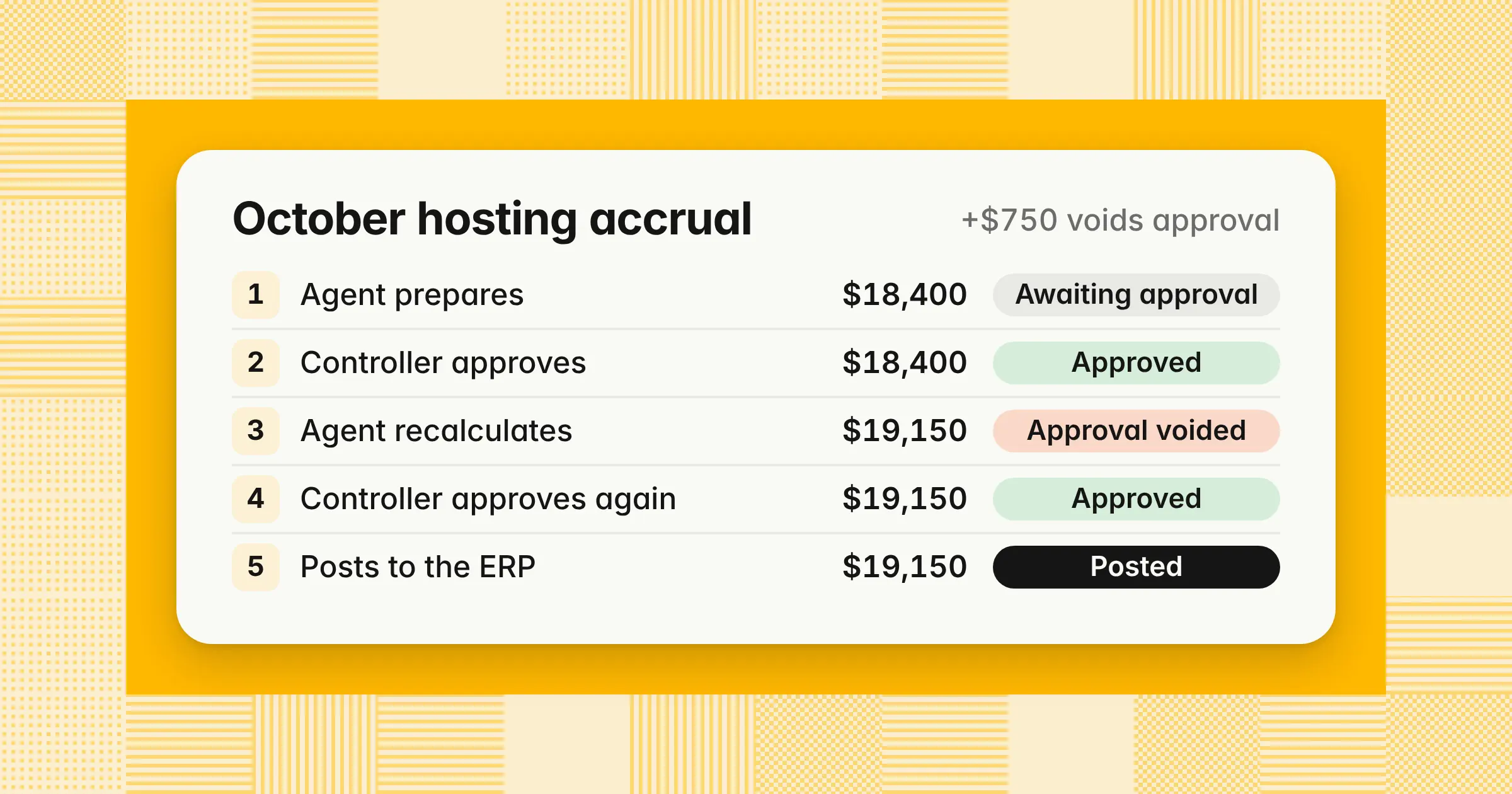
An AI agent prepares an October 2026 hosting accrual of $18,400 from the supplier's usage dashboard, and the controller approves it. Before it posts, a late usage file arrives, and the agent recalculates the accrual. The figures are illustrative.
| Step | Amount ($) | Status |
|---|---|---|
| Agent prepares the draft | 18,400 | Awaiting approval |
| Controller approves | 18,400 | Approved |
| Late usage file arrives, and the agent recalculates | 19,150 | Approval voided, back to Awaiting approval |
| Controller reviews the change and approves | 19,150 | Approved |
| Entry posts, and the ERP document number is logged | 19,150 | Posted |
The change is $19,150 − $18,400 = $750, or 4.1% of the approved amount. Both versions are October expense, because the hosting was used in October. Nobody approved $19,150 until the second review. Posting it on the first approval would have put an unapproved entry in your ledger.
AI agents can draft accruals, prepaid amortization, depreciation, and reclasses with the calculation and support attached. Whether one posts them is a control decision, settled by the steps above. For the entries an agent can prepare each month, with debits and credits, see month-end journal entries.
Which IT general controls apply to an AI agent?
The same IT general control areas as any financial system apply to an AI agent: access, change management, operations, and logging, with prompts, rules, and model versions treated as configuration you control. Covering these four areas gives your auditor a reason to trust that the agent that ran in March is the one you tested in January.
| Area | What it covers for an agent | Evidence to keep |
|---|---|---|
| Access | Its own service account, with create rights but no approval rights, no access to vendor master data, bank payments, or user administration, and a quarterly review | Role permission listing and the quarterly access review sign-off |
| Change management | Prompts, rules, thresholds, connectors, and model versions approved and tested before use, including model updates from the vendor | Change tickets, test results, and version history |
| Operations | Scheduled runs complete, and failed or skipped runs are caught and rerun | Run logs showing tasks assigned against tasks completed |
| Logging | Every input, query, output, edit, approval, and posting is recorded and protected from edits | An append-only log, kept with the period's workpapers |
COSO's February 2026 guidance tells you to "treat prompts, system prompts, retrieval connectors, and transformation rules as governed configurations." It also says to "validate vendor updates before deployment." A model update from your vendor is a change to a financial system, so it goes through the same approval and testing as an ERP change.
Where the agent runs changes who owns these controls. If it's built into your ERP, the ERP's IT general controls cover much of it. If it's a separate tool connected to your ERP, its access, change, and operations controls sit with the vendor. Your auditor will then look to the vendor's SOC report and to your own controls over the connection.
What does a SOX control matrix look like with an AI agent in it?
Keep your existing controls, add the agent as a preparer, and add rows for input completeness, agent access, change control, run completeness, approval bound to the posted version, and monitoring for drift. Building the matrix this way keeps the agent inside the controls your auditors already test, instead of in a separate AI program.
Example
A control matrix for an AI agent that prepares reconciliations and accrual entries. Use it as a template and change the owners and frequencies to fit your team.
| # | Risk | Control | Owner |
|---|---|---|---|
| 1 | The agent works from an incomplete report | The agent's input line count and total tie to the ERP source report before each run, and a difference stops the run | Senior accountant |
| 2 | The agent has more access than it needs | The agent's service account can create but not approve or post to closed periods; access is reviewed | ERP administrator, with controller sign-off |
| 3 | Prompts, rules, or models change without approval | Changes are approved and tested before use, including vendor model updates | Controller and IT |
| 4 | A run fails or skips tasks without anyone noticing | The run log is checked for tasks assigned against tasks completed, and gaps are rerun | Close lead |
| 5 | An entry has the wrong amount, account, or period | The approver checks support, calculation, account, and period before approving, with amount-based tiers | Controller |
| 6 | An entry changes after approval | Any edit voids the approval, and only the approved version posts | System, tested by IT |
| 7 | A reconciliation balances but hides an unsupported item | The reviewer investigates every exception and re-performs a sample of auto-matches | Senior accountant or controller |
| 8 | The agent's quality drifts over time | A monthly sample of agent output is re-performed and the results trended | Controller |
| # | Evidence | Frequency | Key? | Assertion |
|---|---|---|---|---|
| 1 | Tie-out with counts and totals | Each run | Yes | Completeness |
| 2 | Role permission listing and review sign-off | Quarterly | Yes (IT general control) | Supports all |
| 3 | Change tickets, test results, and version log | Each change | Yes, when you rely on the output | Supports all |
| 4 | Run report | Each close | No | Completeness |
| 5 | Approval with name, time, and notes | Each entry | Yes | Accuracy, cutoff, and classification |
| 6 | Version history and ERP document number | Each entry | Yes (automated) | Occurrence and accuracy |
| 7 | Signed reconciliation workpaper | Monthly | Yes | Existence and completeness |
| 8 | Sampling log | Monthly | No | Supports all (COSO monitoring) |
Six of the eight rows are key controls, because each one stops a misstatement or protects a control that does. Change management becomes key when you rely on the agent's output without re-performing it, as in the reliance cases above. Rows 4 and 8 support the key controls, and marking every row key adds testing without adding assurance. For what a reconciliation workpaper should hold, see account reconciliation.
What evidence should every AI-prepared entry and reconciliation carry?
Every AI-prepared entry or reconciliation should carry its source data and tie-out to the ledger, the calculation or rule used, the model and prompt version, the agent's original output, the reviewer's sign-off, and the posted ERP document number. Keeping this pack with each item lets your auditor re-perform the work without asking your team to rebuild it.
Use this table as your audit checklist for AI-prepared close work.
| Evidence | What it shows | Example |
|---|---|---|
| Source data and tie-out | The agent used the complete population | Report line count and total tied to the ledger |
| Calculation or rule | How each amount was produced | The accrual formula or the match rule used |
| Model, prompt, and rule versions | What ran for this period | Version IDs in the run log |
| Original agent output | What the agent produced before anyone edited it | A locked copy of the first draft |
| Edits and reasons | What people changed and why | Change history on the entry |
| Review record | Who reviewed, when, and what they checked | Named approver, timestamp, and notes |
| Posting record | What actually reached the ledger | ERP document number matched to the approved version |
Keep the original output: if only the edited version survives, nobody can show what the agent got wrong or judge its accuracy over time.
Example
An input completeness tie-out for an October 2026 accrual. The agent accrues for goods and services received but not yet invoiced. Your accrual policy leaves out lines under $2,500, which are expensed when the invoice arrives. The figures are illustrative.
| Line | Lines | Amount ($) |
|---|---|---|
| Received-not-invoiced report, October 31 | 45 | 1,331,850 |
| Accrued by the agent | 42 | 1,327,600 |
| Left out under the $2,500 policy: $1,200, $1,350, and $1,700 | 3 | 4,250 |
| Difference (report − accrued − left out) | 0 | 0 |
Accrual entry, October 31, 2026 ($)
| Account | Debit | Credit |
|---|---|---|
| Expense and asset accounts, by line | 1,327,600 | |
| Accrued liabilities | 1,327,600 | |
| Total | 1,327,600 | 1,327,600 |
The tie-out shows the agent's input matched the source report in count and total; any other result stops the run, as in row 1 of the matrix. The $2,500 cutoff is a policy choice you document and support as immaterial in total, not a bright line set by any standard. COSO's February 2026 guidance describes a case where a missed accrual "extended the close process and contributed to an adjustment in the subsequent month." This check catches that failure. For how to estimate and support each accrual, see accrued expenses.
Example
An October bank reconciliation has 2,340 statement lines. The agent auto-matches 2,291 of them, or 97.9%, and lists the other 49 as exceptions, each with its amount, date, source, and reference. The reviewer works all 49 exceptions and re-performs 25 auto-matches, so the evidence pack shows 74 items reviewed, with the match rule behind each auto-match. The figures are illustrative. For the reconciliation steps themselves, see bank reconciliation.
Flux commentary an auditor will accept follows the same rule. Each explanation ties to the ledger movement and names its source, so a reviewer can check it. For thresholds and worked examples, see flux analysis.
How do you prove an AI agent's work is right before auditors rely on it?
Run the agent beside your team for at least one full close, compare every reconciliation and entry with your team's result, keep the comparison as evidence, and then keep sampling the agent's output every month. A parallel run gives you numbers to show your auditor instead of a vendor's claim.
- Back-test: Run the agent on one or more closed periods and compare its output with what your team booked
- Run in parallel: For one to three live closes, have the agent and your team prepare the same reconciliations and entries, without either seeing the other's work first
- Investigate every difference: Decide who was right and why, and log the cause
- Set your pass mark in advance: Agree with your controller, and ideally your auditor, on the difference rate and error types that would stop the move
- Keep the file: Store the population, both results, each difference, its cause, and the sign-off
- Keep sampling: After go-live, re-perform a sample of the agent's work every month to catch drift
Example
A team runs the agent beside its own work for three closes, comparing 40 reconciliations and 120 entries each month. The figures are illustrative.
| Measure | Count | Rate |
|---|---|---|
| Items compared: 3 closes × (40 reconciliations + 120 entries) | 480 | |
| Differences between the agent and the team | 6 | 6 ÷ 480 = 1.25% |
| The agent was wrong | 4 | 4 ÷ 480 = 0.83% |
| The team was wrong | 2 | 2 ÷ 480 = 0.42% |
The run gives you the agent's error rate and the causes of its four errors, which tell your reviewers what to watch for. The two human errors count too, because the comparison measures your current process against the agent instead of against perfection. COSO's February 2026 guidance backs the last step: it tells you to "periodically re-perform reconciliations manually" once the system is live.
After the parallel run, your reviewers can work exception-first; for how to check AI work without redoing it, see Does AI make the month-end close more accurate? Before you buy, run the same test in a vendor demo. Give the agent a duplicate invoice, an entry in the wrong period, an unsupported accrual, and an entry above your approval threshold. Check that it flags or stops on each. For the other checks to run on a vendor, see best AI agents for finance teams.
Do you need a SOC 1 or SOC 2 report from an AI close vendor?
Ask for a SOC 1 Type 2 report, because it covers controls relevant to your financial reporting; a SOC 2 report covers security and related criteria and doesn't replace it for SOX. Getting the right report early saves your auditor from testing the vendor's controls another way late in the year.
| Aspect | SOC 1 Type 2 | SOC 2 Type 2 |
|---|---|---|
| AICPA standard | AT-C section 320 | AT-C section 205 |
| What it covers | Controls at the vendor relevant to your internal control over financial reporting | Controls against the Trust Services Criteria: security, availability, processing integrity, confidentiality, and privacy |
| Who uses it | Your management and your external auditor, for SOX | Your security, IT, and vendor risk teams |
| Answers your SOX auditor's question | Directly | Partly, as support for access and change controls |
When you get the report, read four parts of it:
- Complementary user entity controlsThe controls the vendor expects you to run, such as reviewing the agent's output and managing who can access it; if you don't run them, the vendor's controls don't hold for you
- Subservice organizationsWhether the model provider behind the agent is carved out of the report, and if it is, how the vendor monitors that provider
- Period coveredIf the report ends before your fiscal year does, ask for a bridge letter for the gap
- AI in scopeWhether controls over prompts, model versions, and vendor updates are tested; the AICPA's Technical Q&A section 9561 covers how a service organization's use of AI affects SOC 1 and SOC 2 examinations
The SEC's June 2007 interpretive guidance for management (Release 33-8810) covers outsourced processes. Management that outsources a significant process may need evidence about controls at the service organization. The same guidance doesn't permit a management report on internal control with a scope limitation. If a vendor has no SOC 1, agree with your auditor early on how those controls get covered. The other route is a review of the agent's output precise enough that you aren't relying on the vendor's controls.
If you build your own agent, there's no vendor report to read. The agent is your system, and its access, change, and operations controls are yours to design and test like any in-house financial application.
Who is accountable when an AI-prepared entry is wrong?
Management is: the CEO and CFO still sign the SOX 302 certifications, the controller still owns the review controls assigned to them, and a vendor's liability under its contract doesn't move responsibility for internal control. Knowing where each error lands helps you design the review that keeps a mistake from becoming a deficiency.
| What happens | What it shows | Possible result |
|---|---|---|
| The review catches the agent's error before posting | The control worked | Fix the entry and log the error type for monitoring |
| A small error posts because the review missed it | The review wasn't precise enough | A control deficiency, which management and your auditor evaluate |
| A material error posts that the review should have caught | A material misstatement went unprevented and undetected | A possible material weakness, with consequences for your 302 and 404 reporting |
A material weakness is a deficiency, or a combination of deficiencies, in internal control over financial reporting. It creates a reasonable possibility that a material misstatement won't be prevented or detected on a timely basis. Severity is a judgment your management and auditor make on the facts, not a count of errors.
Example
A controller approves 120 agent-prepared entries in 30 minutes, which is 30 × 60 ÷ 120 = 15 seconds an entry. The approval is on record, but 15 seconds isn't enough to check support, calculation, account, and period. An auditor testing the review's precision could conclude the review didn't operate as designed. The figures are illustrative.
Review time alone proves nothing either way, so keep a record of what the reviewer checked: notes, tie-outs opened, and questions raised. Amount-based tiers help by sending large entries to a deeper review and routine entries to a lighter one. Treat each tier's threshold as a review trigger set by your policy, not a materiality line.
If you're weighing a design where the agent resolves exceptions and posts with only periodic oversight, you're relying on the agent. In that design, the reliance controls in the matrix above, including change management and monthly re-performance, become key controls your auditor will test.
What AI answers get wrong about AI in the close
AI tools agree that a person should stay in the loop, but they disagree on posting, mix up SOC reports, and rarely date their sources. Knowing these errors helps you check any answer you get from an AI tool.
We reviewed 26 answers from ChatGPT, Gemini, Google AI Mode, Google AI Overviews, and Perplexity on November 8, 2026. Four patterns showed up:
- Posting treated as approvingFour answers barred the agent from posting at all, and one said autonomous posting means an instant material weakness. The risk sits with approval rights, as the NetSuite permission above shows, and severity is judged on the facts
- SOC 2 offered as SOX evidenceOne answer treated a SOC 2 Type II report as interchangeable with a SOC 1 Type II for financial reporting controls
- Undated guidanceFew answers put dates on the PCAOB or COSO guidance they cited, and none gave the date of COSO's February 23, 2026 publication
- Unsourced automation figuresTwo answers quoted the share of close preparation AI can automate, and neither traced back to an independent study
When an answer gives you a rule, check the primary page and its date before you build a control on it. The guidance table above lists each primary source with its date.
How we approach it
Our Close Agent prepares reconciliations and balanced entries with their workpapers, and a named approver, separate from the preparer, approves the exact lines before anything posts to NetSuite, Oracle, SAP S/4HANA, Microsoft Dynamics 365, Business Central, or QuickBooks. Every agent step, including each query it runs against your ERP, sits in an append-only log, and the agent stops and asks when data is missing. It runs as SaaS, in your own cloud, in a private cloud, or on-premises, so if you want close work your auditors can trace, explore our Close Agent.
Share this article