BlogGlossary
Flux analysis in accounting: Thresholds, examples, and how to explain changes
16 min read
Key takeaways
- Flux analysis in accounting compares each account balance with a prior period, flags changes above a set threshold, and documents why each flagged balance moved.
- A dual rule, such as $15,000 and 10% for operating expenses, plus a $100,000 override keeps the review list short without missing large moves.
- A good explanation names each driver with an amount, the amounts add up to the total change, and every driver points to support a reviewer can open.
Flux analysis in accounting is a month-end review that compares each account balance with a prior period and explains every change above a set threshold. Getting it right helps you catch posting errors before the books close, gives leadership a clear story behind the numbers, and keeps your workpapers audit-ready. This guide covers the formula, where flux fits in the close, how to set thresholds, a worked example, and what reviewers and auditors look for.
What is flux analysis in accounting?
Flux analysis, short for fluctuation analysis, compares account balances between two periods, flags changes that pass a materiality threshold, and documents the reason for each one. Accounting teams run it during the month-end close to confirm that balances make sense before financial statements go to leadership.
- FluxThe change in an account balance between two periods, shown in dollars and as a percentage
- ThresholdThe dollar and percentage change that triggers a written explanation
- Flux commentaryThe written explanation of what changed, why, and by how much
The same discipline shows up in finance beyond the close. SEC Regulation S-K Item 303 requires public companies to explain material changes in line items from period to period. That includes changes that offset each other within a line item. The rule adds that the discussion “must not merely repeat numerical data.” Flux commentary written well during the close becomes the raw material for that discussion.
Flux analysis vs variance analysis
Knowing which comparison you're running tells you which question the explanation has to answer. Flux analysis compares actual results with actual results from an earlier period, while variance analysis compares actual results with a budget, forecast, or target. Some teams and vendors use the two terms interchangeably, so check the baseline before you read a report.
| Compared on | Flux analysis | Variance analysis | Trend analysis |
|---|---|---|---|
| Compares | Actuals vs prior-period actuals | Actuals vs budget or forecast | One account across many periods |
| Main question | Why did this balance move? | Why did we beat or miss plan? | Is this move part of a pattern? |
| Typical owner | Accounting, during the close | FP&A, after the close | Accounting and FP&A |
| Statements | Balance sheet and income statement | Mostly income statement | Either |
| Output | Commentary for each flagged account | Favorable and unfavorable variances | Seasonality and run rate |
A line can pass one test and fail the other. Say revenue rises 8% month over month but lands 5% below budget. The flux note covers the new contracts behind the increase, and the variance note covers the deals that slipped. For the budget side, see budget vs actual.
Where flux analysis fits in the month-end close
Running flux at the right point in the close means you fix errors before they reach the financial statements instead of explaining them afterward. Flux analysis comes after subledgers are closed, accounts are reconciled, and accruals are posted, and before the controller signs off and the period locks.
- Close subledgers and post entriesPayables, receivables, payroll, fixed assets, accruals, prepaids, and reclasses
- Reconcile balance sheet accountsTie each balance to bank statements, subledgers, and schedules
- Run flux analysisCompare the trial balance with prior periods, flag what passes the threshold, and investigate
- Post corrections and refreshBook the adjusting entries the investigation finds, then rerun flux on the updated trial balance
- Review and sign offA reviewer approves each explanation before the period locks
- Close subledgersDone
- Reconcile accountsDone
- 3Run flux analysisIn progress
- 4Correct and refreshNot started
- 5Review and sign offNot started
Many teams run a preliminary flux a day or two before the final one, so large surprises surface while there's still time to fix them. Flux runs every month as part of the close, and again at quarter-end and year-end for reporting and the audit. For the full sequence, see the month-end close process.
Flux works alongside reconciliation and doesn't replace it. A balance that has been wrong for six months shows no movement, so it passes every flux threshold. Account reconciliation is what proves the balance itself is right.
Balance sheet flux analysis vs income statement flux analysis
Splitting flux by statement helps you pick the right comparison and threshold for each account. Income statement flux looks at activity during the period. Balance sheet flux looks at balances at a point in time and asks whether the roll-forward makes sense.
| Compared on | Income statement flux | Balance sheet flux |
|---|---|---|
| Compares | This month vs last month and the same month last year | Ending balance vs prior month-end |
| Common drivers | Volume, price, headcount, new contracts, timing | Cash timing, collections, accruals, prepaids, reversals |
| Watch for | Seasonality, three-payroll months, annual renewals | Small or zero prior balances that distort percentages |
| Useful check | Compare with the same month last year to remove seasonality | Beginning balance + additions − reductions = ending balance |
Accruals and prepaids often start from small or zero balances, so a modest dollar change can read as a 200% increase. A dollar-only rule works better for those accounts, as the threshold section below explains.
Flux analysis formula
The flux analysis formula gives you two numbers for every account: the size of the change and its size relative to the starting balance.
- Dollar changeCurrent period balance − Prior period balance
- Percentage change(Current period balance − Prior period balance) ÷ |Prior period balance| × 100
Example
Software expense was $86,000 in September and $121,000 in October. The dollar change is $121,000 − $86,000 = $35,000, and the percentage change is $35,000 ÷ $86,000 × 100 = 40.7%.
Use the absolute value of the prior balance so liabilities and other credit balances show the right direction. When the prior balance is zero, the percentage can't be calculated, so the dollar rule decides whether the account needs an explanation.
How to do a flux analysis, step by step
A repeatable process keeps the work consistent from month to month and makes each preparer's commentary faster to review.
- Pull the trial balance for both periodsUse the same account mapping for each, so a reclass or new account doesn't show up as a false change.
- Calculate dollar and percentage changesRun the comparison for each entity and on a consolidated basis.
- Apply your threshold rulesFlag every account that passes the dual threshold, the override, or the always-review list.
- Investigate the driversOpen the general ledger detail behind each flagged account, starting with the largest entries and anything new this month.
- Put an amount on each driverThe drivers should add up to the total change, and anything left over is a residual that needs more work.
- Fix what's wrongPost a correcting entry for any error the investigation finds, then refresh the comparison.
- Write the commentary and attach supportReference the invoice, contract, payroll register, or schedule behind each driver.
- Send it for reviewA reviewer who didn't prepare the analysis checks each explanation against its support and signs off.
How to set flux analysis thresholds
Thresholds decide how much of your close goes into flux, so setting them well is the fastest way to make the review shorter and sharper. A single percentage rule, such as 5%, flags small accounts that move a few hundred dollars. It also misses large accounts that move a lot of money at a low percentage. On Reddit's r/Accounting, one accountant described submitting the team's eighth flux, comparing the current year with both plan and prior year.
Use three rules together:
- Dual thresholdFlag an account when the change passes both a dollar amount and a percentage, which removes small-dollar noise.
- Dollar overrideFlag any change above a larger dollar amount, whatever the percentage, which catches big moves in large accounts such as payroll and revenue.
- Always-review listReview intercompany, suspense and clearing accounts, equity, and any account hit by an unusual manual journal entry every month, regardless of size.
- 1Dual thresholdOperating expenses$15,000 and 10%
- 2Dollar overrideAny account, any %$100,000
- 3Always reviewIntercompany, suspense, equityEvery month
The table below is an illustrative starting point for a company with about $50 million in annual revenue. Scale the dollar amounts to your own materiality.
| Account type | Dollar | Percentage | Why |
|---|---|---|---|
| Revenue and cost of revenue | $50,000 | 5% | Large, steady accounts where small percentage moves matter |
| Payroll and benefits | $25,000 | 10% | Predictable, driven by headcount and pay dates |
| Other operating expenses | $15,000 | 10% | Many smaller accounts with timing noise |
| Cash, receivables, and payables | $100,000 | 10% | High-volume accounts that move with working capital |
| Accruals, prepaids, and reserves | $25,000 | Not used | Small or zero balances make percentages misleading |
| Any account (override) | $100,000 | Any | Large moves always get an explanation |
| Intercompany, suspense, and equity | Any | Any | Reviewed every month |
Test thresholds before you adopt them. Apply two or three candidate rule sets to last month's trial balance and count how many accounts each one flags. Pick the set your team can investigate properly in the time the close allows. Revisit the rules after two or three closes.
If your flux review is a SOX control, the thresholds also need to be precise enough to catch a material error. KPMG's 2025 guide on control precision defines precision as the size of misstatement a control would prevent, or detect and correct, on a timely basis. Agree the thresholds with your auditors so they can rely on the review.
Flux analysis example
A worked example shows how the formula, thresholds, and commentary come together in one close.
Example
This company has about $4.2 million in monthly revenue, uses the thresholds above, and compares its October close with September.
| Selected accounts | September | October | Change ($) | Change (%) |
|---|---|---|---|---|
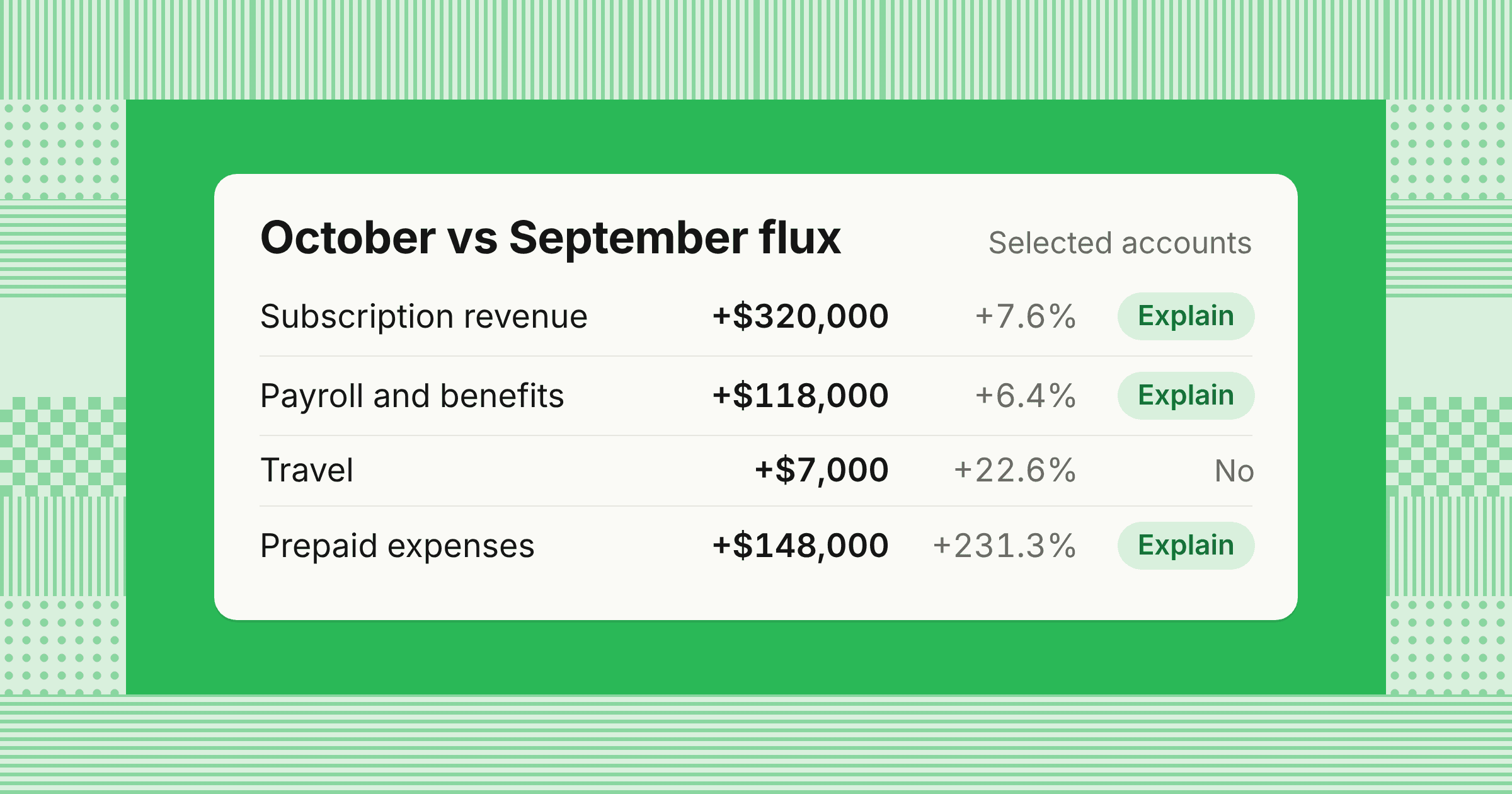
| Subscription revenue | $4,200,000 | $4,520,000 | +$320,000 | +7.6% |
| Payroll and benefits | $1,850,000 | $1,968,000 | +$118,000 | +6.4% |
| Software and subscriptions | $86,000 | $121,000 | +$35,000 | +40.7% |
| Travel | $31,000 | $38,000 | +$7,000 | +22.6% |
| Cash | $6,800,000 | $6,710,000 | −$90,000 | −1.3% |
| Accrued expenses | $410,000 | $352,000 | −$58,000 | −14.1% |
| Prepaid expenses | $64,000 | $212,000 | +$148,000 | +231.3% |
| Account | Rule | Explain? |
|---|---|---|
| Subscription revenue | $50,000 and 5% | Yes |
| Payroll and benefits | Override above $100,000 | Yes |
| Software and subscriptions | $15,000 and 10% | Yes |
| Travel | $15,000 and 10% | No |
| Cash | $100,000 and 10% | No |
| Accrued expenses | $25,000 | Yes |
| Prepaid expenses | $25,000 | Yes |
Payroll's 6.4% increase would not pass a 10% rule on its own, so the $100,000 override is what puts it on the list. Travel rose 22.6%, but the $7,000 change is below the dollar threshold.
Here's the commentary for each flagged account.
Subscription revenue, +$320,000 (+7.6%): Three new customers began billing in October ($210,000), a 5% price increase on renewals took effect October 1 ($95,000), and usage overages added $15,000. New customer and price revenue will recur, while overages vary with usage. Support: October billing register and signed order forms.
Payroll and benefits, +$118,000 (+6.4%): Nine new hires started October 1 ($81,000) and annual merit increases took effect the same day ($52,000), partly offset by a lower sales commission accrual (−$15,000). Both main drivers will recur. Support: payroll register and headcount report.
Software and subscriptions, +$35,000 (+40.7%): A $36,000 annual data platform renewal was posted in full to expense, $4,000 came from new design tool seats, and a cancelled analytics tool saved $5,000. The renewal covers October through September, so it belongs in prepaid expenses. The preparer posted this correcting entry, which keeps October's $3,000 share ($36,000 ÷ 12) in expense:
| Account | Debit | Credit |
|---|---|---|
| Prepaid expenses | $33,000 | |
| Software and subscriptions | $33,000 |
After the correction, October software expense is $88,000, up $2,000 (2.3%) from September and below the threshold. Prepaid expenses rise to $245,000.
Before correction
$121,000
+40.7% vs September
ExplainAfter correction
$88,000
+2.3% vs September
Below thresholdPrepaid expenses, +$181,000 after correction: The annual insurance renewal paid October 1 added $180,000, less $15,000 of October amortization. The data platform renewal reclassified from expense added $33,000, less $17,000 of amortization on existing prepaids. Support: insurance invoice, renewal order form, and prepaid schedule.
Accrued expenses, −$58,000 (−14.1%): September's $70,000 legal fee accrual reversed on October 1 after the invoice arrived and was posted to accounts payable. A new $12,000 accrual for audit fieldwork performed in October partly offsets it. Spending didn't fall: the legal liability moved from accrued expenses to payables.
A weak note on software would have said “Software expense increased due to higher software costs.” It repeats the number and misses a $33,000 error.
How to write flux analysis commentary that holds up in review
Clear commentary lets a reviewer approve a flagged account without sending questions back to the preparer. Harvard's Office of the Controller lists four parts of a good flux explanation. They are what changed, why it changed, the amount of each part of the change, and wording a third party with accounting knowledge can follow.
| Weak | Strong |
|---|---|
| Revenue increased due to strong sales. | Revenue rose $320,000 (7.6%): three new customers ($210,000), a 5% renewal price increase ($95,000), and usage overages ($15,000). |
| Timing. | September's $70,000 legal accrual reversed when the invoice posted to payables, offset by a new $12,000 accrual for October audit fieldwork. |
| Payroll went up because we hired. | Nine hires starting October 1 ($81,000) and merit increases ($52,000), offset by a lower commission accrual (−$15,000). |
Check every note against four tests before it goes to review:
- Drivers add upThe amounts sum to the total change, or the note states the residual.
- Recurrence is labeledEach driver is marked recurring, one-time, timing, or error.
- Support is namedThe note references an invoice, contract, register, or schedule a reviewer can open.
- Wording is plainNo internal shorthand that a new team member or an auditor wouldn't know.
Changes that aren't business changes: FX, accrual reversals, and cut-off
Some of the largest swings in a flux come from accounting mechanics, and explaining them as business changes misleads leadership. Separate these effects before you write the commentary.
- FX revaluation and translationBalances held in a foreign currency change when exchange rates move, even when activity is flat. Split the change into the currency effect and the underlying activity, or compare both periods at the same rate.
- Accrual reversalsAn accrual booked at month-end and reversed on the first day of the next month makes one month look high and the next look low. Read the accrual and the matching invoice together, as in the legal fee example above.
- Cut-off errorsAn invoice or shipment recorded in the wrong month moves activity between periods. Correct it in the right period when it's material, and note it in the commentary when it isn't.
- Reclasses and mapping changesMoving costs between accounts or departments creates two offsetting changes, so explain both sides together.
- Offsetting activityAn account can show a small net change while large debits and credits cancel out, such as a duplicate entry and its reversal. For high-risk accounts, review the activity as well as the ending balance.
For how reversing entries work, see adjusting entries.
What auditors expect from flux analysis documentation
Good documentation lets auditors rely on your flux review instead of rebuilding it. When auditors use analytical procedures as a substantive test, PCAOB AS 2305 has them develop an expectation, compare it with the recorded amount, and investigate significant differences. The standard says management's explanations should ordinarily be corroborated with other evidence, so commentary without support carries little weight.
AS 2305 also says monthly comparisons, and comparisons by location or line of business, generally catch misstatements better than annual, company-wide ones. For a multi-entity company, that means running flux for each entity, not only on consolidated numbers where offsetting moves can hide. The AICPA's AU-C section 520 covers the same ground for audits of private companies.
A flux file ready for audit review holds:
- The comparison basis and thresholds, written down and applied the same way every month
- Each flagged account with its quantified drivers and support
- The correcting entries the review produced
- Preparer and reviewer names and dates, with the reviewer separate from the preparer
- Evidence that the reviewer challenged weak explanations, such as notes or items sent back
Who prepares and reviews flux analysis
Clear ownership keeps flux from becoming a last-day scramble and gives every flagged account one accountable person.
| Role | Responsibility |
|---|---|
| Staff or senior accountant | Runs the comparison for assigned entities or accounts, investigates drivers, and drafts commentary |
| Accounting manager | Checks the math, support, and wording, and sends weak explanations back |
| Controller | Reviews material items and correcting entries, and signs off before the period locks |
| CFO and FP&A | Use the approved commentary in management reporting and the forecast |
| Business owners | Confirm the operating reason when the ledger can't show it, such as a campaign pulled forward |
For a company with several entities and a few hundred accounts, assign each account an owner and a risk level. Run flux by entity and consolidated, and keep the always-review list short. A preparer should never approve their own explanation or the correcting entry that came out of it.
How to run flux analysis in NetSuite, Sage Intacct, and QuickBooks
Your ERP already has comparison reports, so you can start without a separate tool and export to a spreadsheet for the threshold logic.
- NetSuiteGo to Reports > Financial > Comparative Income Statement to compare two or more periods side by side. NetSuite's 2026.2 release, announced July 15, 2026, added Intelligent Flux Analysis, which uses AI to draft explanations for balance changes from the Comparative Income Statement or as a task in the Intelligent Close Manager portlet.
- Sage IntacctGo to Reports > All > Core > Financial reports, open the report, select Edit, and use the Columns tab to set reporting periods relative to the as-of date. The Expand by option splits a period into months or compares dimensions such as department or location.
- QuickBooks OnlineGo to Reports > Standard reports and run Profit and Loss Comparison, or use Compare to add Previous period (PP) or Previous year (PY). Under Calculations, add $ change and % change.
Flux analysis template in Excel: Columns to include
A consistent template makes every preparer's work look the same, which speeds up review. Use these columns in Excel or in your close tool.
| Column | What goes in it |
|---|---|
| Entity and account | Account number, name, and entity |
| Owner | Preparer responsible for the account |
| Prior and current balance | From the trial balance for each period |
| Change ($) and change (%) | Calculated from the two balances |
| Rule and flag | Which threshold applies and whether the account passed it |
| Drivers | Each driver with its amount |
| Residual | Change not yet explained |
| Type | Recurring, one-time, timing, or error |
| Support | Invoice, contract, register, or schedule reference |
| Adjusting entry | Journal entry number, if any |
| Preparer and reviewer | Names and sign-off dates |
Example
In Excel, put the prior balance in column C and the current balance in column D. Put the dollar threshold in J1, the percentage in J2, and the override in J3.
- Change ($)
=D2-C2 - Change (%)
=IF(C2=0,"n/a",(D2-C2)/ABS(C2)) - Flag
=OR(AND(ABS(E2)>=$J$1,IFERROR(ABS(F2),1)>=$J$2),ABS(E2)>=$J$3)
The IFERROR treats a zero prior balance as a 100% change, so the dollar rule decides whether the account is flagged.
Can AI automate flux analysis?
Automated flux analysis now handles most of the mechanical work, which frees your team's time for judgment. Calculating changes, applying thresholds, pulling the transactions behind a flagged account, and drafting a first explanation can all be automated. A person still needs to confirm the business reason, check that every number in the draft ties to the ledger, decide whether a driver will recur, and sign off.
Treat an AI draft the way you'd treat a new preparer's draft. Check that the drivers add up, that each one points to real support, and that the draft says “unexplained” when the data doesn't show a cause instead of guessing. For close tools with flux features, see best month-end close software.
We also build AI agents for this work. Our FP&A Agent investigates variances across your connected systems, separates recurring from one-off effects, and drafts the explanation for your team to review, on top of your existing ERP. If you want to see how it fits your close, explore our FP&A Agent.
Share this article