BlogGuide
Lock accounting period: What a period lock stops, who can still post, and when to reopen
22 min read
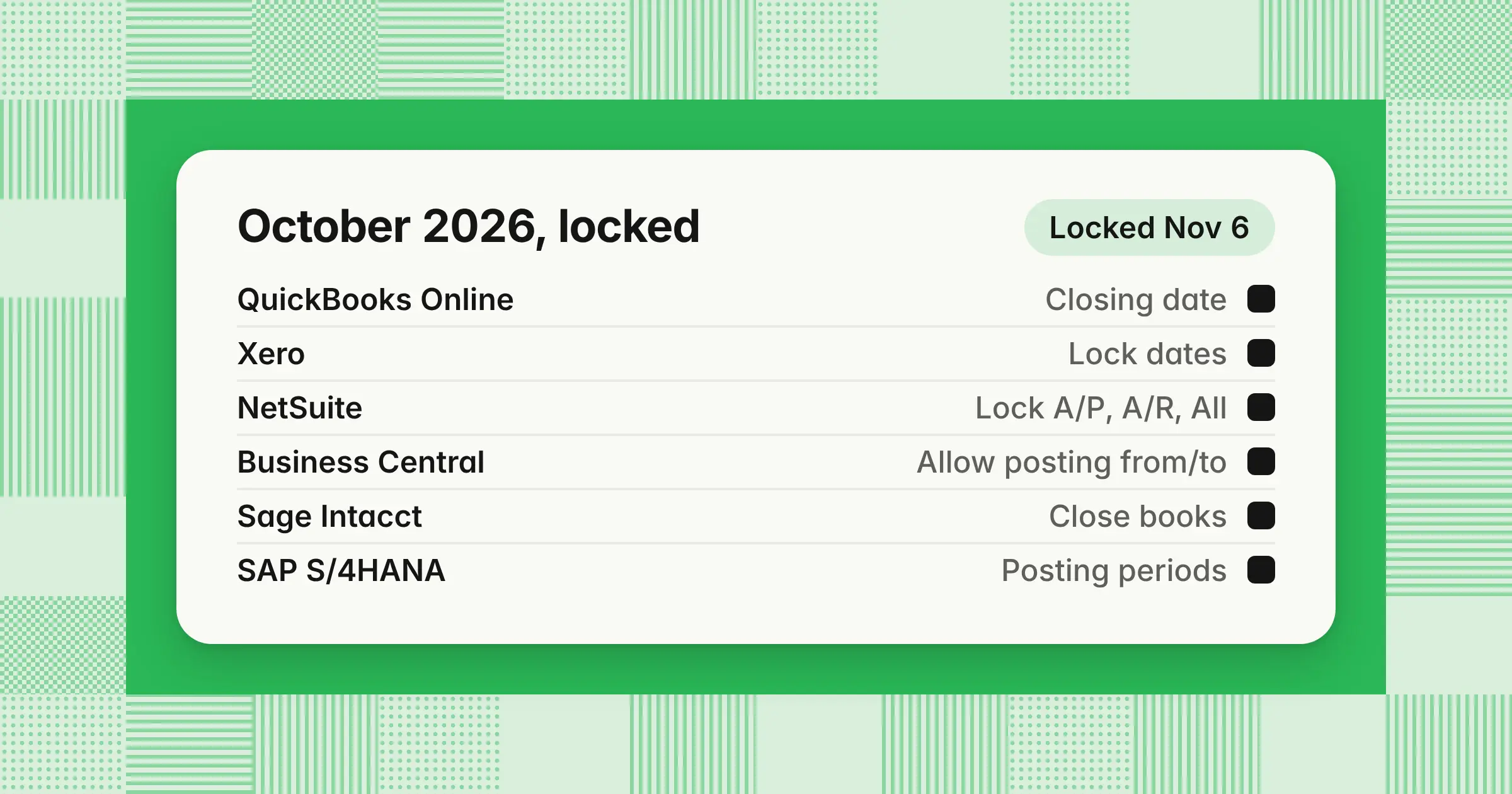
Key takeaways
- In all six systems covered here, someone can still post to a locked month or lift the lock. Your lock policy decides how locked the month really is.
- Business Central's closed periods don't stop posting. NetSuite's locks still let roles with Override Period Restrictions post, and QuickBooks Online's warning option lets anyone with edit rights click through.
- In the worked example, a $4,800 late invoice is booked in October because it's under a $6,000 review threshold. In an alternative case, a second late bill takes September's late items to $6,800, and September reopens instead.
To lock an accounting period, you set a closing date, lock date, or posting date range that stops changes to a month you've already closed. Getting the lock right keeps your ledger matching the numbers leadership and lenders already have, and gives your team one rule for late items. This guide covers what a lock stops in six systems, how entries still get in, one worked late invoice, and a policy you can copy.
What does it mean to lock an accounting period?
Locking an accounting period means turning on the setting that stops users from changing transactions dated in that period, so reported results stay fixed. When you close an accounting period, you finish the month's work, and the lock is the control that protects the result.
Three terms come up in every system:
- Lock date or closing dateThe date on or before which transactions can't change without approval. QuickBooks calls it a closing date, and Xero calls it a lock date.
- Closed periodA month whose posting is finished. In NetSuite, a closed period blocks general ledger postings by anyone, while in Business Central, closing a period doesn't block posting at all.
- ReopenLifting a lock or close so an approved entry can post to the original month, then locking it again.
You lock right after sign-off for three reasons. A late bill or backdated journal entry can't quietly change numbers the board, lenders, or auditors already have. Reconciliations finished during the close stay reconciled, and every later change has to go through a visible, approved path. The lock is the last step of the month-end close, after reconciliations, adjusting entries, and review.
Soft lock vs hard lock vs closed period
A soft lock stops ordinary users but lets named people post with a password or override. A hard lock stops everyone until an authorized user lifts it. Closed status and posting restrictions are separate settings: in Business Central, a closed period or fiscal year doesn't block posting at all.
| Lock state | What it stops | Who can still post | Examples |
|---|---|---|---|
| Warning only | Nothing; it only warns | Anyone with edit rights who clicks through | QuickBooks Online "Allow changes after viewing a warning" |
| Soft lock | Day-to-day users | Password holders, administrators, or roles with an override | QuickBooks Online password option, Xero's lock date for all users except administrators, NetSuite Lock A/P, Lock A/R, Lock Payroll, and Lock All, SAP period interval 1 with an authorization group, Business Central User Setup exceptions |
| Hard lock or closed period | Everyone | No one until an authorized user lifts the lock, reopens the period, or moves the date | Xero's lock date for all users, NetSuite closed period, Sage Intacct locked closed period, SAP period closed in every interval |
These labels aren't vendor terms, so check each system's behavior in the next section rather than its menu name. A soft lock is also different from a soft close. A soft close is a faster monthly close that leans on estimates, followed by a full hard close at quarter-end or year-end.
How to lock an accounting period in QuickBooks, Xero, NetSuite, Business Central, Sage Intacct, and SAP
Each system locks differently: QuickBooks Online uses one closing date, Xero two lock dates, NetSuite module locks and a period close, and Business Central posting date ranges. Sage Intacct closes subledgers and then the books, and SAP opens posting periods by account type. This table shows what each lock stops, checked against vendor help pages on November 9, 2026.
| System | How you lock | Soft or hard | How to unlock |
|---|---|---|---|
| QuickBooks Online | Settings › Account and settings › Advanced › Accounting › Edit, then turn on Close the books and enter a closing date | Warning option: no real lock. Password option: soft | An admin changes the closing date or password |
| QuickBooks Desktop | Company › Set Closing Date (Windows), or Company › Users and Passwords › Set Closing Date (Mac) | Soft: date plus password | The admin changes the date |
| Xero | Set one or both lock dates in Accounting › Accounting settings › Financial settings, under Lock Dates | Lock for all users except administrators: soft. Lock for all users: hard | A user with the administrator role moves or removes the date |
| NetSuite | Setup › Accounting › Manage G/L › Manage Accounting Periods › Checklist: Lock A/R, Lock A/P, Lock Payroll, Lock All, then Close | Locks: soft. Close: hard | Unlock the lock task you need on the checklist; unlocking one transaction type also lifts Lock All. A closed period must be reopened, which reopens every later closed period |
| Business Central | Allow Posting From and Allow Posting To on General Ledger Setup, with exceptions on User Setup | Company range: hard for users without exceptions. User Setup range: soft | Widen one user's range on User Setup, then reset it. A closed fiscal year can't be reopened |
| Sage Intacct | Close AP, AR, and Expenses summaries and Cash Management periods, close the books in General Ledger, then lock closed periods if you've turned the feature on | Closed books: firm for transactions, but adjustments can still post. Locked closed period: hard | Open books, choosing only the subledgers you need. A locked period must be unlocked first |
| SAP S/4HANA | OB52 or the Manage Posting Periods app: open period ranges per posting period variant and account type | Interval 1 with an authorization group: soft. Period closed in every interval: hard | Reopen the period range in OB52 |
Who can still post in each system, whether payables and receivables lock on their own, and the vendor page behind each row:
| System | Who can still post | Lock AP and AR separately? | Vendor source (date) |
|---|---|---|---|
| QuickBooks Online | Anyone with edit rights (warning), anyone with the password (password), and any primary or company admin, who can change the date | No. Intuit describes one closing date for the company | Intuit, "Lock your books in QuickBooks Online" (updated September 2026) and "Edit your closed books in QuickBooks" (August 2026) |
| QuickBooks Desktop | The admin, and users who know the closing date password and have the right permissions | No. Intuit describes one closing date | Intuit, "Set or change the closing date and password in QuickBooks Desktop" (updated August 4, 2026) |
| Xero | Administrators under the first date, no one under the second | No. A lock date covers every transaction | Xero Central, "Set up or remove lock dates" (US, undated, accessed November 9, 2026), and Dext Help Center, "How do Xero lock dates affect publishing in Dext" (June 22, 2026) |
| NetSuite | Locked period: roles with Override Period Restrictions, which administrators have. Closed period: no one can make general ledger changes | Yes: A/P, A/R, and payroll separately, and by subsidiary in OneWorld | Oracle NetSuite Help, "Accounting Period Close," "Unlocking Period Transactions," and "Reopening a Closed Period" (undated, accessed November 9, 2026) |
| Business Central | Any user whose User Setup range includes the month. Closed periods and closed fiscal years don't block posting | Not by module. Ranges can differ by user and by general journal template | Microsoft Learn, "Working with accounting periods and fiscal years" (January 12, 2026) and "Specify posting periods" (April 1, 2026) |
| Sage Intacct | Closed books: users booking Adjusting Entries in General Ledger. Locked period: no one, "even by adjustments" | Yes: AP, AR, Expenses, and Cash Management close separately | Sage Intacct Help, "Open and close process overview" (November 5, 2026), "Lock closed periods" and "Open books" (October 23, 2026) |
| SAP S/4HANA | Users whose role carries interval 1's authorization group. Interval 2 applies to every user and can't be restricted | Yes: account types D (customers), K (suppliers), A (assets), S (G/L accounts), M (materials), and V (contract accounts) | SAP Learning, "Managing Posting Periods" and "Defining Posting Periods in Financial Accounting" (undated, accessed November 9, 2026) |
QuickBooks Online and QuickBooks Desktop
In QuickBooks Online, choose "Allow changes after viewing a warning and entering password," not the warning-only option, which anyone who can edit transactions clicks through. There's one closing date for the company, so move it forward after each monthly close. QuickBooks Desktop works the same way, with a closing date and password the admin sets.
Xero
Xero gives you two lock dates: one that stops all users except administrators (Dext's help calls the role adviser), and one that stops every user. Set the first when each month closes, and set the second once year-end accounts and tax returns are final. Dext's help center notes that a bill dated before the lock can still reach Xero as a draft or awaiting approval. Clear those before you lock.
NetSuite
NetSuite's checklist locks run from the subledgers up. Lock A/P and Lock A/R stop ordinary users posting those transaction types, and Lock All stops every other transaction that hits the general ledger. Closing the period "prevents posting to the general ledger for any dates included in the period, by anyone," in Oracle's words. To stop typos like 2027 for 2026, turn on Enable Accounting Period Window, which locks future periods beyond a window of 1–1,000 open periods.
Business Central
Microsoft Learn says "accounting periods don't control posting dates." It adds that "although a fiscal year is closed, you can still post general ledger entries to it." Your lock is the Allow Posting From and Allow Posting To range on General Ledger Setup, which applies to all users. Ranges on User Setup "overrule" it for named users. Date formula fields can roll the window forward each month, with one catch covered in the leak table below.
Sage Intacct
Sage Intacct closes in layers: AP, AR, and Expenses summaries and Cash Management periods first, then the books. After the books close, "you cannot post transactions in any application" for earlier dates. Sage notes you can still book adjusting entries to a closed period. To stop those too, lock the closed period. Sage says a locked period "cannot be reopened, and information for the period cannot be changed, even by adjustments" until it's unlocked.
SAP S/4HANA
In SAP S/4HANA, OB52 opens posting periods for each posting period variant, with the + line checked first for every document. Interval 2 is the normal interval for all users. Interval 1 can carry an authorization group, so only your closing team can post to last month. Interval 3 controls postings from Controlling to Financial Accounting.
Which accounting software lets you lock periods by subledger, not just a single closing date?
NetSuite, Sage Intacct, and SAP S/4HANA lock by subledger or account type, so you can lock payables while the general ledger stays open for adjusting entries. Business Central restricts posting dates by user and journal template, not by module. QuickBooks Online, QuickBooks Desktop, and Xero lock the whole file to one date, so in those systems you set the date once, at sign-off.
Can managers override or recode expenses after month-end close?
Not directly: a manager can ask for a recode, but accounting decides and posts it. Small recodes go in the current month as a reclassification, and recodes that change reported results go in the closed month after an approved reopen. Separating the request from the posting keeps department results reliable.
A recode changes the account, department, class, or entity on an expense. An override edits the original transaction in place, which is exactly what the lock is there to stop, so no manager should hold override access.
Example
On October 8, the head of engineering reports that a $3,200 September software subscription was coded to the Sales department instead of Engineering. September is locked and the department P&Ls have gone to leadership.
| Account | Debit | Credit |
|---|---|---|
| Oct 8 | ||
| Software expense, Engineering | 3,200 | |
| Software expense, Sales | 3,200 | |
Memo: Reclass of September subscription, approved by controller
Total software expense doesn't change, and September's company P&L stays as reported. October's Sales expense is $3,200 lower and Engineering's is $3,200 higher, so note the reclass in the October department reports. Reopen September instead when department results drive commissions, bonuses, or a budget decision that has already been made. The guide to month-end journal entries covers how reclassification entries are built and reviewed.
A late invoice arrived after the month was locked: reopen or book it now?
Book it in the current month unless it was never accrued and late items for that month cross your materiality threshold or change a figure someone relies on. A written rule keeps every late item from becoming a debate.
Work through four questions in order:
- Does the cost belong to the locked month?Check the service or delivery date, not the invoice date
- Was it accrued?If it was, match the invoice to the accrual in the current month and leave the locked month alone
- Is it under your threshold, alone and with other late items for that month?If it is, book it in the current month with a memo naming the original month
- Does it trip a qualitative trigger?Reopen for any item that affects a loan covenant, a bonus, a tax filing, a loss turning into income, or a figure already sent to investors or the board
No single percentage settles materiality. The SEC's Staff Accounting Bulletin No. 99 (1999) describes a common 5% rule of thumb. It then says "exclusive reliance on this or any percentage or numerical threshold has no basis in the accounting literature or the law." It lists qualitative factors such as whether a misstatement "affects the registrant's compliance with loan covenants" or "has the effect of increasing management's compensation." Treat your threshold as the point that triggers a controller review, not a bright line.
Example
Harbor Point Software uses an example policy: the controller reviews a month for reopening when its late items total more than the lower of $25,000 or 5% of that month's pre-tax income, or when any item trips a qualitative trigger. When a month's pre-tax income is zero, negative, or close to zero, the 5% leg stops working, so the policy falls back to a benchmark the controller sets in advance, such as a percentage of that month's revenue or total expenses, capped at $25,000. September's pre-tax income was $120,000, so the threshold is the lower of $25,000 and $6,000 (5% × $120,000), which is $6,000. The controller locked September on October 5. On October 9, a $4,800 consulting invoice arrives for September work.
Outcome A: September already has an accrual. The team accrued $4,500 for the work on September 30, so September already carries the cost. The invoice clears the accrual in October, and the $300 difference is October expense.
| Account | Debit | Credit |
|---|---|---|
| Oct 9 | ||
| Accrued expenses | 4,500 | |
| Consulting expense | 300 | |
| Accounts payable | 4,800 | |
Outcome B: No accrual, under the threshold. $4,800 is 4.0% of September's pre-tax income and under the $6,000 threshold, so the invoice is booked in October and logged as a late September item.
| Account | Debit | Credit |
|---|---|---|
| Oct 9 | ||
| Consulting expense | 4,800 | |
| Accounts payable | 4,800 | |
Memo: September services, booked late per lock policy
September's expense is understated by $4,800 and October's is overstated by the same amount. The late-item log keeps that visible, so the next late September item is tested against the running total.
Outcome C (an alternative to B): No accrual, and the late items cross the threshold. Suppose instead that a $2,000 September freight bill turns up the same day, before the $4,800 invoice is booked. Together the two are $6,800, or 5.7% of September's pre-tax income, so the controller reviews them and approves a reopen.
| Account | Debit | Credit |
|---|---|---|
| Sep 30 | ||
| Consulting expense | 4,800 | |
| Freight expense | 2,000 | |
| Accounts payable | 6,800 | |
The team reopens September, posts the entry, reruns the accounts payable reconciliation, and relocks the month the same day. The revised September package shows pre-tax income of $113,200 ($120,000 − $6,800). If the $4,800 invoice had already been booked in October under outcome B, reverse that October entry when you post it to September, or the cost is counted twice.
| Outcome | Where the cost lands | September pre-tax income | October effect |
|---|---|---|---|
| A: Accrued | September, through the accrual | $120,000, as reported | $300 of extra expense |
| B: Under the threshold | October | $120,000 as reported ($115,200 with the invoice) | $4,800 of extra expense |
| C: Over the threshold | September, after a reopen | $113,200, revised | None |
Accruing well turns late invoices into outcome A, which is why the guide to accrued expenses is the first fix for repeat reopens. The same rule covers backdated journal entries. Backdating inside the open month is normal. After the lock, date the entry in the current period and name the original month in the memo. If your team reopens prior months for every small item, enforce the threshold, because each reopen changes reports you already sent. The guide to adjusting entries covers an entry booked to the wrong period.
Can you reopen a closed accounting period?
Usually yes: an authorized user can reopen or unlock a closed period in most systems, but treat it as an exception. Business Central differs, because a closed fiscal year can't be reopened and you control changes with posting date ranges instead. Approve every reopen in writing, post the entry, rerun the affected reconciliations, and relock the same day.
- RequestThe preparer submits the entry, the reason, the amount, and the accounts affected
- ApproveThe controller approves in writing before anyone unlocks, and the CFO approves items above the policy threshold
- UnlockOne named person reopens the period or widens their own posting range, using the steps in the table above
- PostPost only the approved entry, dated in the original month
- RerunRerun the account reconciliation for every account the entry touched, and the trial balance for the month
- Relock and recordLock the period again, and save the request, approval, entry, and before-and-after trial balance together. In NetSuite, redo the required checklist tasks and close every reopened period again, oldest first
Two system behaviors catch teams out. In NetSuite, reopening a period automatically reopens every later closed period, and you may need to redo checklist tasks for each before you can close them again. In Sage Intacct, a locked period must be unlocked first. Sage says access to Open books is usually restricted to the accounting manager, controller, or CFO.
Reopening the ledger vs correcting issued financial statements
Reopening a month in your ledger is a bookkeeping step you take before results are final. Once statements for that period are issued, ASC 250 governs the correction. A material error means restating the earlier statements as a prior-period adjustment, with the cumulative effect in opening retained earnings. An immaterial error is corrected in the current period if it's also immaterial to that period, or by revising the prior period. Booking a late accrual into a reopened month before anything is issued isn't a prior-period adjustment in the ASC 250 sense, so don't label it as one.
What happens if you post to a closed accounting period?
Depending on the lock, the system blocks the entry, warns and asks for a password or override, or moves the entry to an open period. If an entry did land in a closed month, someone had an override, moved the lock date, or used a setting that bypasses the lock.
NetSuite shows both behaviors. When a period is locked for a subsidiary, it drops out of the Posting Period list. The Allow Transaction Date Outside of Posting Period preference decides what happens when a transaction's date and posting period don't match: Disallow stops the user from saving until they match, Warn lets them save after a warning, and Allow saves without one. For a backdated transaction from a closed period, the Default Posting Period When Transaction Date in Closed Period preference picks the current period (the default) or the first open period. In SAP, an error saying the posting period isn't open means the posting date falls in a period OB52 hasn't opened for that account type.
Why transactions still land in a locked period
Each leak below has a setting behind it and a report that catches it, so you can close the gap before your next audit.
| Leak | Why it happens | How to catch it |
|---|---|---|
| Warning-only lock | QuickBooks Online's warning option lets anyone with edit rights click through | Switch to the password option and run Exceptions to Closing Date monthly |
| An admin moves the date | Any QuickBooks Online primary or company admin, or any Xero administrator, can change the lock | Keep admins to one or two people and review settings changes in the audit log |
| Override permission | NetSuite roles with Override Period Restrictions, including administrators, post to locked periods | Review which roles carry the permission each quarter, and remove it from everyday and integration roles |
| Module lock only | NetSuite's Lock A/P covers payables transactions, so journal entries stay open until Lock All | Run Lock All before you close the period |
| Non-GL changes | A NetSuite period with Allow Non-G/L Changes checked lets users with that permission edit fields that don't hit the ledger | Leave the box unchecked on closed periods |
| A "closed" period that isn't locked | Business Central's closed periods and fiscal years don't block posting | Set Allow Posting From and Allow Posting To, and check for entries flagged Prior Year Entry |
| A rolling formula on the wrong date | Business Central's posting date formulas are evaluated against the work date, which users can change | Test the formula with a changed work date, or use fixed dates |
| Adjustments after the books close | Sage Intacct lets adjusting entries post to a closed period until it's locked | Lock closed periods once results are reported |
| Integrations and backdated items | Integrations post under their own user or role, and backdated items can shift to an open period without review | Clear sync queues before you lock, give integration users no override, and review items whose transaction date is earlier than their posting period |
Integrations follow the same rules as people, so an integration user with admin rights or Override Period Restrictions posts through the lock. Some spend and billing tools move a backdated item to the first open period, and others stop the sync with a closed-period error. Test each connector against a locked month before you depend on it.
Who should be allowed to post to a closed month?
No one in a day-to-day role should post to a closed month. Only the controller, or the owner at a small company, approves changes. One or two named people make them, with access that ends at relock.
| Role | 20-person company on QuickBooks Online | 200-person company on NetSuite |
|---|---|---|
| Owner or CFO | Approves changes and holds the closing date password | Approves reopens above the policy threshold |
| Controller | The owner covers this role | Approves every change to a closed month and closes periods |
| Outside CPA or bookkeeper | Gets the password only for approved year-end or correction entries | Not applicable |
| Senior accountant | Not applicable | Posts approved entries with temporary access, then hands back the permission |
| AP, AR, and payroll staff | No password and no admin rights | No Override Period Restrictions permission |
| System administrator | One or two people only, because any admin can change the closing date | Grants and removes access but doesn't post entries |
| Integration users | Not admins | No Override Period Restrictions permission |
In QuickBooks Online, limit admin rights before you share the password, because Intuit says admins can change the closing date and password. Avoid shared logins for anyone who can post to a closed month, so every change traces to a person.
How to see what changed in a closed period
Run your system's change report, then compare the signed-off trial balance with today's for the same month: any difference is a change after close. A monthly review gives you visibility before your auditors find the change.
| System | Where to look | What it shows |
|---|---|---|
| QuickBooks Online | Reports › Standard reports › Exceptions to Closing Date, and Settings › Audit log | Changes made after you closed the books, plus who changed what, including settings. Intuit says audit log events are available for two years, and admin access is required (Intuit, "Use the audit log in QuickBooks Online," updated August 4, 2026) |
| NetSuite | System Notes on the accounting period, and on each transaction | Each change to a period's lock status, by subsidiary, and the reopen justification saved in a user note |
| Business Central | Change log, once you set it up, and the Prior Year Entry flag | Changes to the tables and fields you choose to track. Microsoft recommends tracking Some Fields rather than All Fields (Microsoft Learn, "Auditing changes," updated June 17, 2026) |
| Any system | Signed-off trial balance vs current trial balance for the same month | Every balance that moved after sign-off, whatever the cause |
In Business Central, include the Allow Posting From and Allow Posting To fields in the change log so you can see who widened a posting range. A flux analysis of the signed-off and current balances shows which accounts moved and by how much.
What evidence do auditors want for changes after close?
Auditors want to see that few people can post to or reopen a closed period and that every change was approved before it happened. They also match the system's log of lock and reopen events to your approved list, so keep the evidence for each exception together.
Keep these for every period:
- Lock timestampsWhen each period was locked, closed, reopened, and relocked
- Access reportWho held admin rights, the closing date password, an override permission, or a wider posting range
- Each reopenThe request, the approval dated before the unlock, the entry with its support, and the before-and-after trial balance
- Full populationA system report of every change to a closed period
- Late-item logEvery item booked in the current month for a prior month, with its amount and running total
If you're subject to SOX, these are the records your auditors will sample, so produce them from the system rather than from memory.
Period lock policy template
A period lock policy states when each lock happens, who approves later changes, and which late items wait for the current month. It also lists the evidence you keep, so every late item gets the same answer. Copy the tables below and replace the example values with your own.
Lock calendar (example, business days after month-end)
| Close day | Trigger | QuickBooks Online or Xero | NetSuite |
|---|---|---|---|
| Day 2–3 | AP and AR subledgers reconciled and signed off | No module lock; keep working | Lock A/P and Lock A/R |
| Day 4 | Last adjusting entries posted | No change | Lock All |
| Day 5 | Controller signs off the month | Set the closing date with the password option, or Xero's lock date for all users except administrators | Close the period |
| After year-end filing | Audit adjustments and tax return final | In QuickBooks, keep the one closing date at the latest signed-off month, because moving it back to year-end would unlock later months. In Xero, set the lock date for all users to year-end | Confirm every period in the year is closed |
Policy rules
| Policy element | Example rule |
|---|---|
| Scope | Every entity, ledger, and subledger in the general ledger |
| Who approves | Controller for any change to a closed month; CFO for items over the threshold |
| Who executes | One named accountant with temporary access, never the approver |
| Threshold | Controller reviews for a reopen when late items for one month exceed the lower of $25,000 or 5% of that month's pre-tax income. If pre-tax income is zero, negative, or near zero, use a revenue- or expense-based benchmark set in advance, capped at $25,000 |
| Qualitative triggers | Loan covenant, bonus or commission, tax filing, loss turning into income, figure already sent to the board or investors |
| Below the threshold | Book in the current month, memo the original month, and add it to the late-item log |
| Reopen window | Relock the same business day |
| Access | No shared logins, no override for integration or everyday roles, admins limited to two people |
| Monitoring | Review the exceptions report or System Notes and the late-item log weekly during the close and monthly after it |
| Access review | Quarterly review of admins, password holders, and override permissions |
| Evidence | Keep each request, approval, entry, trial balance comparison, and relock time for seven years, or your own retention period. QuickBooks Online keeps audit log events for two years, so export the audit log and Exceptions to Closing Date report each month and archive them with the close file |
Reopen request form fields
- Period and entity to reopen
- Entry, amount, and accounts affected
- Reason, with the source document
- Test result: accrual status, amount vs threshold, and any qualitative trigger
- Whether results for the period have gone outside the finance team
- Approver, approval date, and the person who will post
- Unlock time, relock time, and the reconciliations rerun
Add the lock step and the late-item review to your month-end close checklist, and place it after review in your month-end close process.
Which software stops changes after the close?
Your ERP or accounting system is the only tool that blocks a posting, and close software adds detection and workflow around that lock.
When you compare tools, ask each vendor to show a late entry posted into a locked month after sign-off. Then ask how it's flagged, who is notified, and what approval trail ends with the period relocked.
How we approach it
Our Close Agent works around your ERP's lock: a month can't lock in the agent until every task is signed off, and once it's locked, the agent can't change it. It reads from and posts approved entries to NetSuite, Oracle, SAP S/4HANA, Microsoft Dynamics 365, Business Central, and QuickBooks, so a late entry it prepares posts only after a named approver signs off. It runs in a dedicated AWS account we manage for you, in your own AWS account, or on-premises; explore our Close Agent to see how it fits your close.
Share this article