Key takeaways
- Month-end close, also called the monthly close or period-end close, is the process of recording, reconciling, adjusting, and reviewing a month's transactions, then locking the period so the financial statements are final.
- The close runs in eight steps: record, reconcile, adjust, update assets, consolidate, review, lock, and report.
- The most common adjusting entries are accruals, prepaid expenses, deferred revenue, depreciation, and reclassifications.
- Most teams close in 4–7 business days, with 55% of finance teams in that range in Ledge's 2025 survey, and most delays come from one late input holding up every step after it.
Month-end close, also called the monthly close or period-end close, is the process of recording, reconciling, adjusting, and reviewing a month's transactions, then locking the period so the financial statements are final. Accountants also call it closing the books. A good close gives you numbers leadership can act on, catches errors while they're still easy to fix, and builds the evidence your auditors test at year-end. This guide covers the steps, a worked example in numbers, the adjusting entries you'll post, who does what, and how long it should take.
What are the steps in the month-end close?
The month-end close has eight steps, and each one depends on the step before it:
- Set the cutoff and record transactionsPost every invoice, bill, payroll run, card charge, and bank transaction dated in the month. Anything dated after the last day goes to next month.
- Reconcile accountsMatch cash to bank statements and tie each subledger, such as accounts receivable, accounts payable, and fixed assets, to the general ledger.
- Post adjusting entriesRecord accruals, prepaid expense amortization, deferred revenue, depreciation, and reclasses so revenue and expenses land in the right month.
- Update inventory and fixed assetsConfirm stock counts, record new assets and disposals, and check the asset register against the ledger.
- Reconcile intercompany and consolidateIf you have more than one entity, match balances between entities, eliminate them, translate foreign currency, and combine the books.
- Review the trial balanceRun the adjusted trial balance and use flux analysis to explain movements against the prior month and the budget.
- Prepare the statements and lock the periodProduce the income statement, balance sheet, and cash flow statement. The controller signs off and locks the month.
- ReportSend a management pack that explains the results to the CFO and leadership team.
The general ledger sits at the center of every step. Subledger activity flows into it, reconciliations tie back to it, and the review compares its balances period over period. For the order to close accounts in, the tasks that can run in parallel, and a day-by-day calendar, see the month-end close process. Read more on flux analysis and intercompany accounting for steps 5 and 6.
Month-end close example: One company's March in numbers
Example
A 150-person software company with one entity and a three-person finance team closes March. It has one reconciliation difference, one accrual, one prepaid, and one large movement to explain.
| Business day | What happens |
|---|---|
| Last week of March | The controller reminds sales and operations of the cutoff, and a staff accountant reconciles the bank account through March 25. |
| Day 1 | All March invoices and bills are posted, and accounts receivable and accounts payable are locked for March. |
| Day 2 | The bank statement shows $268,500, and the ledger shows $270,000. A $1,500 card payout recorded on March 31 reached the bank on April 1, so it's a deposit in transit: $268,500 + $1,500 = $270,000. No entry is needed. |
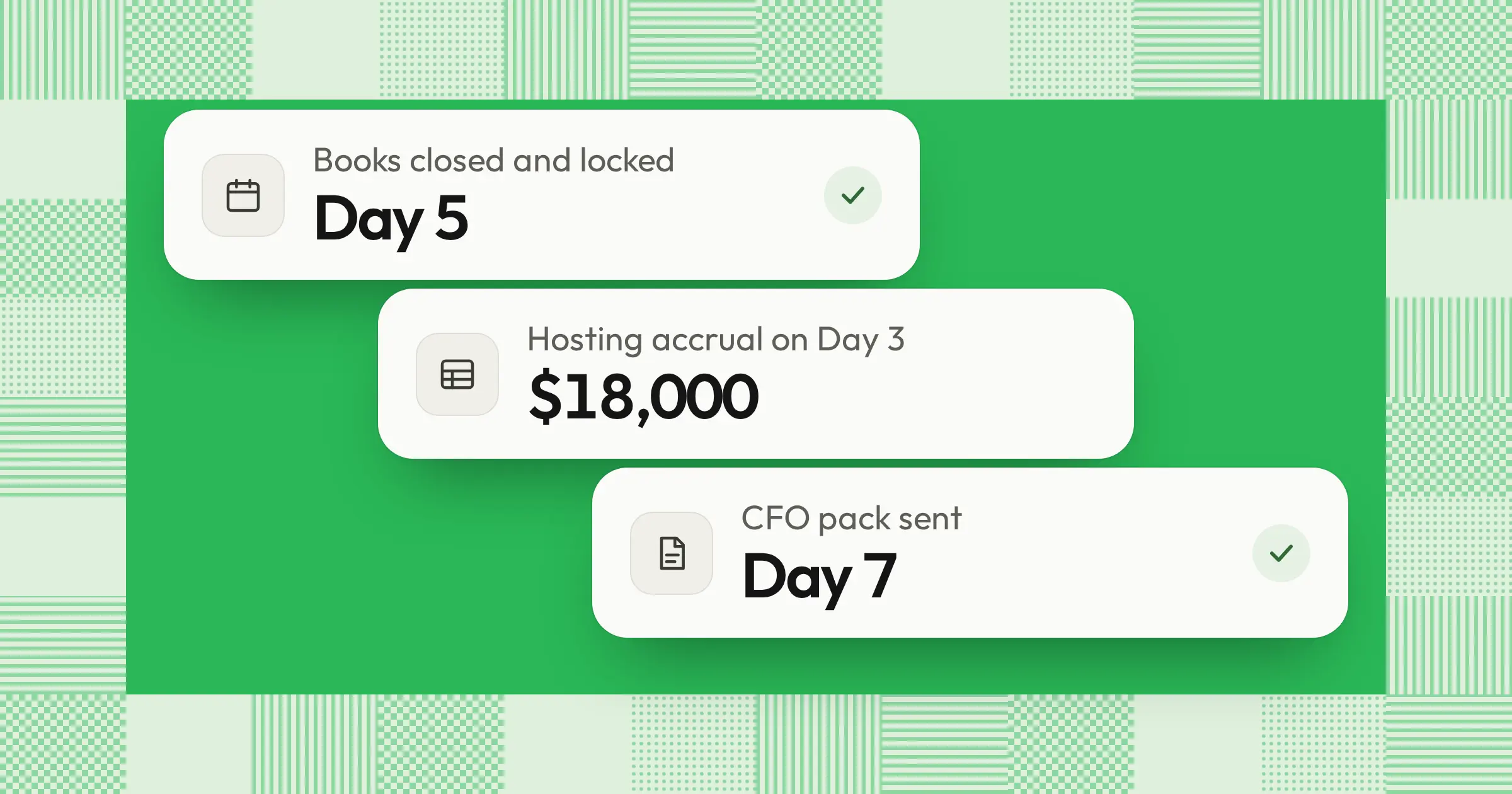
| Day 3 | The March hosting bill won't arrive until mid-April, so the team accrues an $18,000 estimate. Annual insurance of $24,000, paid in January, is expensed at $24,000 / 12 = $2,000 for March. |
| Day 4 | Marketing is $84,000, compared with $60,000 in February, an increase of $24,000, or 40%. A $24,000 March conference explains the movement, so it gets one line in the pack. |
| Day 5 | The controller signs off on the statements and locks March. |
| Day 6 | The CFO receives a pack with revenue and costs against budget, the cash position, and an explanation of each significant variance. |
The two adjusting entries from day 3 look like this in the ledger:
| Entry | Debit | Credit | Amount | What happens next |
|---|---|---|---|---|
| Hosting accrual | Hosting expense | Accrued expenses | $18,000 | Reverses on April 1. The real bill is posted when it arrives. |
| Insurance for March | Insurance expense | Prepaid insurance | $2,000 | Repeats monthly. After March, $24,000 − (3 × $2,000) = $18,000 stays in prepaid insurance. |
Together, the two entries add $20,000 of March expense. Without them, March profit would be overstated by $20,000, and later months would carry costs that belong to March. The books closed on day 5, but the CFO could act on the results on day 6. That gap between closed books and the report is normal, and it's covered in the timing section below.
What does month-end closing mean?
Month-end closing means finalizing a month's books so the numbers can be reported and relied on. Every transaction is recorded in the period it belongs to, every balance sheet account is reconciled to an outside record, and the period is locked so the reported numbers can't change.
- Month endThe last day of a reporting month, such as March 31, often written EOM (end of month)
- CutoffThe point after which new transactions belong to the next month
- Accrual basisRecording revenue when it's earned and expenses when they're incurred, whatever the cash timing. Adjusting entries exist because of this rule. A business on cash basis has a simpler close, mostly bank reconciliation and categorization.
- Period lockA setting in your accounting system that blocks new postings to a closed month without approval
- Management packThe report that explains the month's results to leadership after the books close
The close repeats 12 times a year, and the year-end close adds the audit and annual adjustments on top of it. Because it runs every month, small inefficiencies in the close add up to weeks of finance time over a year.
What adjusting entries are made during month-end close?
The adjusting entries made during month-end close are accruals, prepaid expense amortization, deferred revenue releases, depreciation, and reclassifications. Each one moves revenue or expense into the month it belongs to.
| Adjusting entry | When you need it | Typical entry | Reverses next month? |
|---|---|---|---|
| Accrued expenses | You received goods or services but have no invoice yet, such as hosting, contractors, utilities, or goods received not invoiced | Debit expense, credit accrued expenses | Usually, on day 1 |
| Accrued payroll | Employees earned wages, bonuses, commissions, or payroll taxes that haven't been paid | Debit wages expense, credit accrued payroll | Usually |
| Accrued revenue | You delivered work you haven't invoiced yet | Debit accrued revenue (unbilled receivable), credit revenue | Yes, when you invoice |
| Prepaid expenses | You paid in advance for insurance, software, or rent, and part of it expired this month | Debit expense, credit prepaid expenses | No, it follows a schedule |
| Deferred revenue | A customer paid in advance and you earned part of it this month | Debit deferred revenue, credit revenue | No, it follows a schedule |
| Depreciation and amortization | Fixed assets and intangibles were used up during the month | Debit depreciation expense, credit accumulated depreciation | No |
| Reclassifications | An amount was posted to the wrong account, department, or entity | Debit the correct account, credit the wrong one | No |
| Allowance for doubtful accounts | Some receivables may not be collected | Debit bad debt expense, credit allowance for doubtful accounts | No |
Companies that hold stock also post inventory adjustments after counts, and companies with foreign currency balances post revaluation entries. For how to calculate and post each type, see the full guide to adjusting entries. The two you'll post most often are accrued expenses and prepaid expenses, and deferred revenue matters most for subscription businesses. For every recurring entry with debits, credits, and worked amounts, see month-end journal entries.
What accounts are reconciled during month-end close?
Every balance sheet account is reconciled during month-end close, starting with cash, receivables, and payables. Each reconciliation compares the ledger balance with an outside record or a supporting schedule and explains any difference.
| Account | Reconciled to | Common differences |
|---|---|---|
| Cash | Bank statements | Deposits in transit, outstanding checks, bank fees not yet recorded |
| Credit cards | Card statements | Missing receipts, charges posted to the wrong period |
| Accounts receivable | AR aging report | Unapplied customer payments, credit notes not posted |
| Accounts payable | AP aging report and supplier statements | Missing bills, duplicate bills |
| Prepaid expenses | Amortization schedule | Expense not released for the month |
| Fixed assets | Fixed asset register | Additions or disposals not recorded |
| Accrued liabilities | Accrual schedule | Old accruals not reversed |
| Payroll liabilities | Payroll register and tax filings | Timing of tax payments |
| Intercompany | The other entity's balance | One side booked, the other not |
Cash is usually first because most other accounts depend on it. For the method, templates, and how to resolve differences, see account reconciliation and bank reconciliation.
Do you make closing entries at month-end?
Most companies don't make closing entries at month-end: accounting systems close revenue and expense accounts to retained earnings once a year, so the monthly close locks the period without zeroing out the income statement.
Textbook closing entries happen at year-end, in four steps:
| Closing entry | Debit | Credit |
|---|---|---|
| 1. Close revenue | Each revenue account | Income summary |
| 2. Close expenses | Income summary | Each expense account |
| 3. Close net income | Income summary | Retained earnings |
| 4. Close dividends | Retained earnings | Dividends |
Most accounting software posts this rollover to retained earnings automatically when the fiscal year changes. After it runs, a post-closing trial balance confirms that only balance sheet accounts still carry balances.
What do accountants do during month-end close?
Accountants post the month's remaining transactions, reconcile bank and balance sheet accounts, prepare adjusting entries, and investigate unusual balances. The close also depends on people outside accounting, and each role owns a specific part of the workflow:
| Role | What they do in the close |
|---|---|
| Staff accountants | Reconcile accounts and prepare journal entries |
| Accounts payable and receivable | Post bills and invoices, manage cutoffs, and chase approvals |
| Payroll | Post payroll and confirm hours, bonuses, and commissions |
| Senior accountant | Posts adjusting entries and reviews the trial balance |
| Controller | Owns the close calendar, reviews reconciliations, and signs off on the statements |
| FP&A or finance lead | Compares results with the budget and forecast and writes the commentary |
| CFO | Receives the management pack and uses it to make decisions |
| Other departments | Supply inputs, such as sales for commissions, operations for goods received, and HR for headcount changes |
What information does accounting need for month-end close?
Accounting needs statements, invoices, payroll records, sales changes, and inventory counts for the month, and most of these inputs come from outside the finance team, which is why collecting them early has such a large effect on the timeline:
- Banks and payment providersBank, card, and payment processor statements through the last day of the month
- SuppliersInvoices, credit notes, and supplier statements
- Operations and procurementGoods received records, open purchase orders, and contracts
- HR and payrollPayroll registers, hours worked, and bonus and commission figures
- SalesInvoices issued, contract changes, and credit notes
- WarehouseInventory counts, if the business holds stock
- Fixed asset registerNew purchases and disposals
What goes on a month-end close checklist?
A month-end close checklist lists every recurring close task with its owner, due day, and reviewer. Most checklists group tasks by step: pre-close, cutoff, reconciliations, adjusting entries, review, reporting, and lock. Use the month-end close checklist as a starting template and adjust it to your accounts and entities.
What comes out of the month-end close?
A complete close produces six outputs, from the locked books to the report leadership reads:
- A locked periodNew postings to the month are blocked unless an authorized user reopens it
- An adjusted trial balanceThe final balance for every account
- Financial statementsThe income statement, balance sheet, and cash flow statement
- A reconciliation packEvery balance sheet account with its support and reviewer
- Approved journal entriesA record of every adjustment and who approved it
- A management packResults against budget, commentary on what changed, the cash position, and key operating metrics
How long should month-end close take?
Month-end close usually takes 4–7 business days. In Ledge's 2025 survey of 100 finance professionals, 55% of teams closed in that range:
| Business days to close | Share of teams (Ledge, 2025) |
|---|---|
| 1–3 | 18% |
| 4–5 | 32% |
| 6–7 | 23% |
| More than 7 | 27% |
The report leadership uses arrives later than the closed books. APQC's benchmark database, accessed in November 2026, puts the median at 6 calendar days from the first trial balance to the financial statements (11,223 organizations) and 10 calendar days to the management report (3,287 organizations). For benchmarks by company size and how to measure your own close, see the guide on how long should month-end close take.
Why does month-end close take so long?
Most delays in the close come from dependencies between tasks. Each step needs the one before it finished, so a delay early in the close moves every deadline after it.
Example
The AR reconciliation finishes a day late because two customer payments can't be matched to invoices. The trial balance isn't final until AR is reconciled, so the flux review starts on day 5 instead of day 4. Sign-off moves to day 6, and the management pack reaches the CFO on day 7 instead of day 6. One late reconciliation added a day to everything that followed it.
Inputs from outside the finance team are the most common cause. In Ledge's 2025 survey, 56% of finance teams named dependence on other departments as a blocker to a faster close, 50% named managing the close in Excel, and 40% named legacy systems that don't integrate. The same survey found that reconciling cash alone takes 20–50 hours a month.
| Problem | What it does to the close | Fix |
|---|---|---|
| Late inputs from sales, operations, or HR | Accruals and cutoff wait on other teams | Set input deadlines before month-end and hold a short pre-close meeting |
| Waiting for supplier invoices | Expenses land in the wrong month or the close waits | Accrue recurring costs from contracts and purchase orders |
| High-volume reconciliations done once a month | Cash and card matching piles up in the first days | Reconcile cash and cards weekly or daily |
| Close tracked in spreadsheets and email | Nobody can see which task is late | Keep one close calendar with an owner and due day for every task |
| Entries posted after review starts | Reconciliations and the review have to be redone | Set a cutoff day for entries and book small late items next month |
| One person holds key knowledge | The close stalls when they're out | Document each task and train a backup |
That's why speeding up a single task rarely shortens the close. The biggest gains come from removing the earliest dependency. Teams that move reconciliations, accruals, and reviews into the month itself can work toward a zero-day close, with books ready on the last day of the month.
Why is month-end close important?
The purpose of month-end close is to give the business accurate, timely numbers it can act on, and to give auditors the evidence they need at year-end. The main benefits are:
- Better decisionsLeadership sets hiring, pricing, and spending from the latest closed month. In Intuit's May 2026 survey of 2,000 US finance leaders, 57% said they had missed a time-sensitive decision in the past six months because financial data arrived too late.
- Fewer errorsAn error found in the month it happened takes minutes to correct, while the same error found at year-end means searching through 11 months of entries.
- Lender and investor reportingLoan covenants and investor updates often require monthly or quarterly figures by a set date.
- Audit readinessMonthly reconciliations with support and approvals become the evidence your auditors test at year-end.
- Simpler tax and year-end workTwelve clean monthly closes leave less to fix when the annual return and audit begin.
Month-end close vs. year-end close
Year-end close follows the same steps as the monthly close, then adds the external audit, year-end tax work, expanded disclosures, and closing income and expense accounts to retained earnings.
| Compared | Month-end close | Year-end close |
|---|---|---|
| Frequency | 12 times a year | Once a year |
| Audited | Usually not | Yes, if the company is audited |
| Closing entries to retained earnings | Not usually | Yes |
| Additional work | None | Audit, tax, disclosures, and closing to retained earnings |
| Median length (APQC) | 6 calendar days | 18 calendar days |
What is the difference between a soft close and a hard close?
A soft close is a faster monthly close that estimates or skips lower-risk steps, while a hard close completes every reconciliation and adjustment and locks the period. Many teams run soft closes in the first two months of a quarter and a hard close at quarter-end.
| Compared | Soft close | Hard close |
|---|---|---|
| Used for | Internal monthly reporting | Quarter-end, year-end, and lender or investor reporting |
| Accruals | Material items only, often estimated | Every item above a low threshold |
| Reconciliations | High-risk accounts, such as cash, AR, and AP | Every balance sheet account |
| Period lock | Sometimes left open for late items | Locked after sign-off |
What is month-end close in R2R?
Record to report (R2R) is the accounting process that runs from recording a transaction to reporting it in the financial statements. The monthly close is the part of R2R that repeats every month.
What are the month-end activities in R2R?
The month-end activities in R2R are cutoff and journal posting, account and intercompany reconciliation, accruals and other adjustments, consolidation for companies with more than one entity, and financial reporting.
How do you lock a closed month in your accounting system?
You lock a closed month by setting a closing date or closing the period in your accounting system, which blocks new postings without approval. Each system names the feature differently:
| System | Feature | What it does |
|---|---|---|
| QuickBooks Online | Close the books | Sets a closing date, with an optional password, under Settings > Account and settings > Advanced. If you choose the password option, changes to earlier transactions need the password. |
| Xero | Lock dates | Sets one lock date for all users except advisers and a second date that stops all users. |
| NetSuite | Period Close Checklist | Locks AR, then AP, then all transactions, and closes the period after review tasks such as intercompany adjustments and currency revaluation. |
| Sage Intacct | Close the books | Closes the period in the General Ledger so entries can't post to it. |
If you find a material error after the lock, an authorized user reopens the period, posts the correction with support, and locks it again. For small errors, many teams post the correction in the current month instead, so the reported numbers don't change.
How does software help the month-end close?
Close software reduces the manual work in the steps that repeat every month, so your team can spend more of its time on review. The most common uses are:
- Transaction matchingMatches bank, card, and payment processor activity to the ledger and flags only the items that don't match
- Recurring entriesPosts recurring accruals, prepaids, and depreciation on a schedule, and reverses accruals automatically
- ReconciliationsKeeps each reconciliation with its support, preparer, and reviewer in one place
- Flux reviewFlags accounts that moved more than your threshold, so reviewers can focus on them
- Close trackingShows every task, owner, and due date, so delays are visible early
Automation is closely linked to a faster close. In Ventana Research's July 2022 analysis, 69% of companies that had automated most or all of their close processes completed the quarter-end close within six business days, compared with 29% of those using some or no automation. Software also improves accuracy by removing manual keying, but the controller still reviews the numbers and signs off. For a comparison of tools by company size, see the best month-end close software.
If you want to see how our agents can handle the prep work in your close, explore Autonomous Close.
Share this article