Key takeaways
- A month-end close checklist gives every recurring close task one owner, a separate reviewer, the input it needs, a due business day, and a test for when it's done.
- The template below has 40 tasks in five categories, ordered from seven business days before month-end to business day 8, with a 13-task version for small businesses on QuickBooks Online or Xero.
- In a spreadsheet, keep one row per task, calculate due dates with WORKDAY, and flag overdue rows automatically.
A month-end close checklist is the list of tasks your finance team completes each month to record, reconcile, adjust, and review the books before you lock the period and report results. It turns your month-end close process into assigned work: each row names one task, who does it, who reviews it, what it needs, and when it's due. You'll also see it called a monthly close checklist, an end-of-month accounting checklist, or a financial close checklist.
Month-end close checklist template for accounting teams
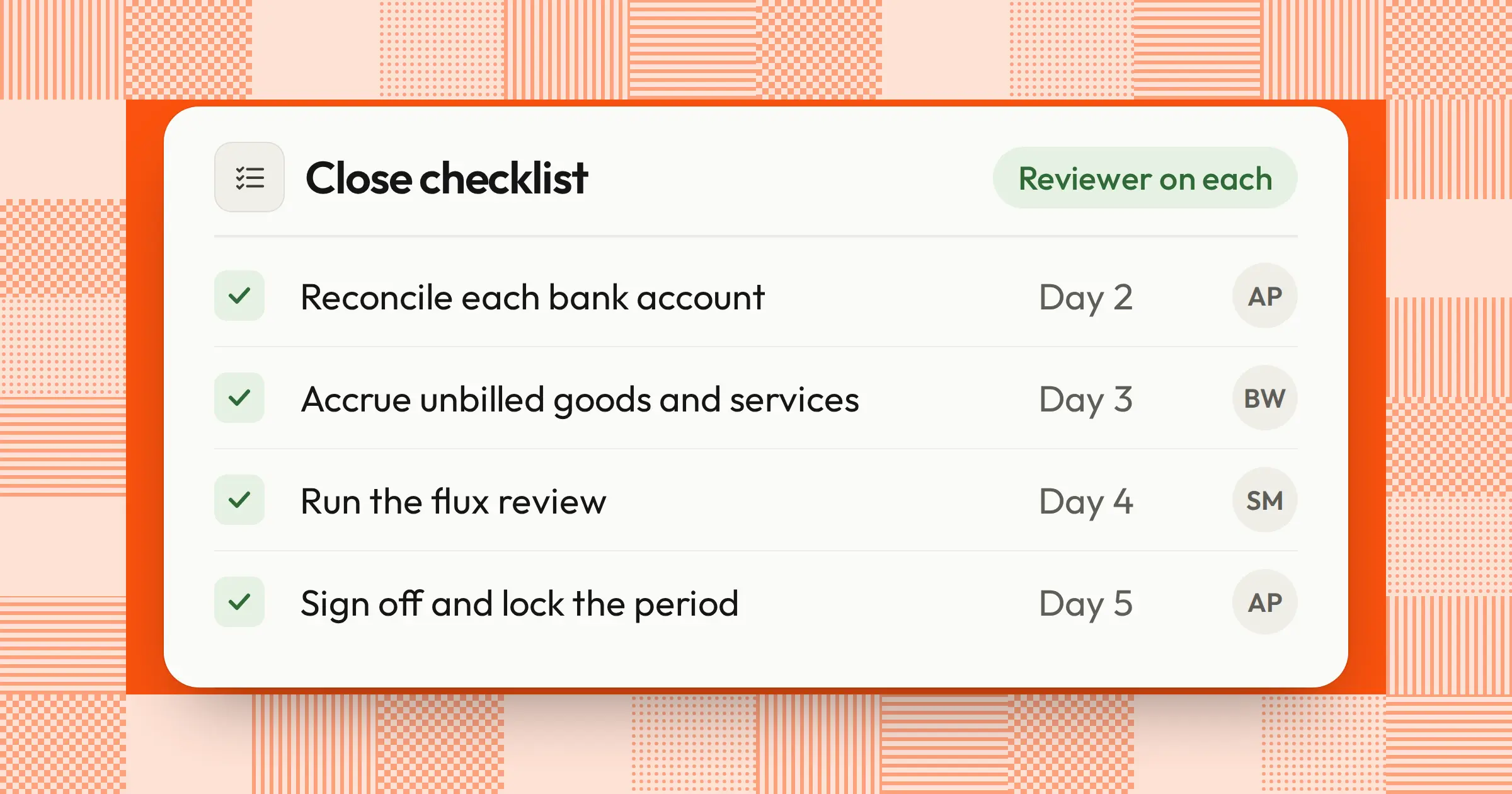
This template lists 40 close tasks in the order an accounting team runs them, from seven business days before month-end (Day -7) to the eighth business day of the new month (Day 8). It assumes one entity, a five-person team, and statements signed on Day 5, so shift the days and roles to fit your team.
Send the close calendar and cutoff dates. Owner: Controller. Reviewer: CFO. Due: Day -7.
Category · Input needed
Reporting · Last month's calendar, department contacts
Done when
Every department has its cutoff date
Chase open bill and expense approvals. Owner: AP lead. Reviewer: Controller. Due: Day -3.
Category · Input needed
Expenses · Approval queue, expense reports
Done when
Every open approval has an owner and a date
Request accrual inputs from budget owners. Owner: Senior accountant. Reviewer: Controller. Due: Day -3.
Category · Input needed
Expenses · Open purchase orders, contracts
Done when
Each budget owner has listed costs not yet billed
Reconcile bank and card activity to date. Owner: Staff accountant. Reviewer: Senior accountant. Due: Day -2.
Category · Input needed
Cash · Bank and card feeds
Done when
Every unmatched item to date is explained
Confirm the month's billing run. Owner: AR lead. Reviewer: Senior accountant. Due: Day -1.
Category · Input needed
Revenue · Contracts, billing schedule, usage data
Done when
Every invoice due this month is scheduled
Post recurring entries. Owner: Staff accountant. Reviewer: Senior accountant. Due: Day -1.
Category · Input needed
Expenses · Recurring entry schedule
Done when
Each scheduled entry is posted once
Save month-end statements for every account. Owner: Staff accountant. Reviewer: Senior accountant. Due: Day 1.
Category · Input needed
Cash · Bank, card, and loan portals
Done when
A statement is on file for every account, including dormant ones
Invoice everything delivered in the month. Owner: AR lead. Reviewer: Senior accountant. Due: Day 1.
Category · Input needed
Revenue · Contracts, delivery or usage records
Done when
Every delivery has an invoice or an accrued revenue entry
Apply cash receipts to invoices. Owner: AR lead. Reviewer: Staff accountant. Due: Day 1.
Category · Input needed
Revenue · Bank feed, remittance advice
Done when
Unapplied cash is listed by customer
Post approved bills received by the cutoff. Owner: AP lead. Reviewer: Staff accountant. Due: Day 1.
Category · Input needed
Expenses · Approved invoices
Done when
Every bill is posted or on the exceptions list
Match bills to purchase orders and receipts. Owner: AP lead. Reviewer: Senior accountant. Due: Day 1.
Category · Input needed
Expenses · Purchase orders, receiving records
Done when
Price and quantity differences are resolved or raised
Post the journal for each payroll run. Owner: Payroll lead. Reviewer: Senior accountant. Due: Day 1.
Category · Input needed
Expenses · Payroll register
Done when
Gross pay, taxes, and deductions match the register
Reconcile each bank account. Owner: Staff accountant. Reviewer: Senior accountant. Due: Day 2.
Category · Input needed
Cash · Bank statement, cash ledger
Done when
The ledger agrees with the statement, and each reconciling item has a date, amount, and cause
Reconcile cards and payment processor accounts. Owner: Staff accountant. Reviewer: Senior accountant. Due: Day 2.
Category · Input needed
Cash · Card statements, payout reports
Done when
The clearing account holds only payouts in transit
Clear old reconciling items. Owner: Staff accountant. Reviewer: Controller. Due: Day 2.
Category · Input needed
Cash · Prior reconciliations
Done when
No item is older than your policy limit without an explanation
Tie the AR aging to the general ledger. Owner: Staff accountant. Reviewer: Senior accountant. Due: Day 2.
Category · Input needed
Revenue · AR aging, trial balance
Done when
The aging total equals the AR account
Tie the AP aging to the general ledger. Owner: Staff accountant. Reviewer: Senior accountant. Due: Day 2.
Category · Input needed
Expenses · AP aging, trial balance
Done when
The aging total equals the AP account
Accrue wages earned after the last pay date. Owner: Senior accountant. Reviewer: Controller. Due: Day 2.
Category · Input needed
Expenses · Timesheets, pay calendar
Done when
Every day worked and not paid is accrued
Accrue goods and services received but not billed. Owner: Senior accountant. Reviewer: Controller. Due: Day 3.
Category · Input needed
Expenses · Open POs, receiving records, budget owner input
Done when
Every known unbilled cost has an amount with support
Reverse or clear prior-month accruals. Owner: Senior accountant. Reviewer: Controller. Due: Day 3.
Category · Input needed
Expenses · Prior accrual schedule, posted bills
Done when
No accrual remains for a bill that has posted
Accrue bonuses, commissions, and paid time off. Owner: Senior accountant. Reviewer: Controller. Due: Day 3.
Category · Input needed
Expenses · Bonus plans, commission reports, PTO balances
Done when
Each accrual has a calculation on file
Reconcile your largest supplier statements. Owner: AP lead. Reviewer: Senior accountant. Due: Day 3.
Category · Input needed
Expenses · Supplier statements
Done when
Every difference is explained
Update deferred and unbilled revenue. Owner: Senior accountant. Reviewer: Controller. Due: Day 3.
Category · Input needed
Revenue · Contracts, billing schedule
Done when
The revenue schedule agrees with the general ledger
Review the allowance for doubtful accounts. Owner: AR lead. Reviewer: Controller. Due: Day 3.
Category · Input needed
Revenue · Aging, disputes, collection history
Done when
Aged and disputed balances are reviewed, and the entry is drafted
Amortize prepaid expenses. Owner: Staff accountant. Reviewer: Senior accountant. Due: Day 3.
Category · Input needed
Balance sheet · Prepaid schedule, new invoices
Done when
The schedule equals the general ledger
Capitalize additions and record disposals. Owner: Senior accountant. Reviewer: Controller. Due: Day 3.
Category · Input needed
Balance sheet · Invoices above your capitalization threshold, disposal notices
Done when
The fixed asset register is current
Post depreciation. Owner: Staff accountant. Reviewer: Senior accountant. Due: Day 3.
Category · Input needed
Balance sheet · Fixed asset register
Done when
Depreciation in the ledger equals the register
Reconcile inventory to counts. Owner: Cost accountant. Reviewer: Controller. Due: Day 3.
Category · Input needed
Balance sheet · Count results, shipping and receiving records
Done when
Book quantities match counts, and write-downs are approved
Reconcile debt and accrue interest. Owner: Senior accountant. Reviewer: Controller. Due: Day 3.
Category · Input needed
Balance sheet · Loan statements, amortization schedules
Done when
Principal agrees with the lender, and interest is accrued to month-end
Reconcile payroll liability accounts. Owner: Staff accountant. Reviewer: Senior accountant. Due: Day 3.
Category · Input needed
Balance sheet · Tax filings, benefit invoices
Done when
Each balance equals the amount due
Approve manual journal entries before posting. Owner: Preparer of each entry. Reviewer: Senior accountant or controller. Due: Day 3.
Category · Input needed
Reporting · Support for each entry
Done when
Every entry has support and an approver who didn't prepare it
Reconcile equity accounts. Owner: Senior accountant. Reviewer: Controller. Due: Day 4.
Category · Input needed
Balance sheet · Cap table, board approvals
Done when
Every equity movement has an approval on file
Clear suspense and uncategorized balances. Owner: Staff accountant. Reviewer: Senior accountant. Due: Day 4.
Category · Input needed
Balance sheet · Suspense account detail
Done when
Each balance is zero or has a cleared-by date
Reconcile every remaining balance sheet account. Owner: Assigned accountant. Reviewer: Controller. Due: Day 4.
Category · Input needed
Balance sheet · Adjusted trial balance, schedules
Done when
Each reconciliation is signed by its preparer and reviewer
Run the flux review. Owner: Senior accountant. Reviewer: Controller. Due: Day 4.
Category · Input needed
Reporting · Adjusted trial balance, prior month, budget
Done when
Every movement above your threshold is explained
Draft the financial statements. Owner: Senior accountant. Reviewer: Controller. Due: Day 5.
Category · Input needed
Reporting · Adjusted trial balance
Done when
Statements tie to the trial balance, and cash flow agrees with the cash change
Sign off the statements and lock the period. Owner: Controller. Reviewer: CFO. Due: Day 5.
Category · Input needed
Reporting · Statements, reconciliation pack
Done when
Statements are signed, and the period is locked
Archive the close package. Owner: Staff accountant. Reviewer: Controller. Due: Day 6.
Category · Input needed
Reporting · Signed reconciliations, entries, and reports
Done when
One folder per month holds every signed file
Prepare budget vs. actual and the management pack. Owner: Finance lead. Reviewer: CFO. Due: Day 6.
Category · Input needed
Reporting · Signed statements, budget, forecast
Done when
The CFO has the pack
Review what slowed the close. Owner: Controller. Reviewer: CFO. Due: Day 8.
Category · Input needed
Reporting · Due and completed dates for each task
Done when
Each late task has a fix, an owner, and a date
Drop the rows you don't need, such as inventory for a services business, and add a row for each account or entry the template doesn't cover.
What should be on a month-end close checklist?
A month-end close checklist should have a reconciliation task for every balance sheet account and a task for every recurring journal entry, grouped into five categories: cash, revenue, expenses, balance sheet, and reporting.
| Category | What it covers | Tasks in the template |
|---|---|---|
| Cash | Statements, bank and card reconciliations, payment processor clearing accounts, old reconciling items | 5 |
| Revenue | Billing, cash application, the AR tie-out, deferred and unbilled revenue, the bad debt allowance | 6 |
| Expenses | Approvals, recurring entries, bill posting, PO matching, payroll journals, accruals, the AP tie-out, supplier statements | 12 |
| Balance sheet | Prepaids, fixed assets, inventory, debt, payroll liabilities, equity, suspense accounts | 9 |
| Reporting | Close calendar, journal entry approval, flux review, statements, sign-off, archive, management pack, retrospective | 8 |
Each row also needs enough detail for someone new to finish it without asking:
- OwnerOne named person who prepares the task and is accountable for finishing it on time
- ReviewerA second person who checks the work and signs it off, never the same person as the owner
- Input neededThe report, statement, or estimate the task depends on, and who supplies it
- Done whenA test the reviewer can confirm, such as "the AR aging equals the general ledger"
What are the steps in a month-end close checklist?
A month-end close checklist runs in five steps: prepare before month-end, record the month's transactions, reconcile accounts, post adjusting entries, then review, sign off, and report. Following that order keeps you from reviewing numbers that are still changing.
- Pre-close (Day -7 to -1)Send cutoff dates, chase approvals, post recurring entries, and reconcile high-volume accounts to date.
- Record (Day 1)Post every invoice, bill, payroll run, and cash receipt that belongs to the month.
- Reconcile (Days 2–4)Match bank, card, and subledger balances to an outside record and explain every difference. For methods by account type, see account reconciliation.
- Adjust (Days 2–3)Post accruals, amortize prepaid expenses, and record depreciation and inventory adjustments. The full set of entries, with debits and credits, is in month-end journal entries.
- Review and report (Days 4–8)Run the flux analysis, sign off the statements, lock the period, and send the management pack.
Example
A contractor works 40 hours in the last week of March at $75 an hour and invoices on April 10. You accrue 40 × $75 = $3,000 in March. When the bill posts in April, the March accrual reverses, so the cost appears once, in March. That's the Day 3 "accrue goods and services received but not billed" row, and the Day 3 "reverse or clear prior-month accruals" row handles the April side.
For more on how these balances work, see accrued expenses.
For what each step involves and who takes part, see What is month-end close?
Why is a month-end close checklist important?
A close checklist makes the close repeatable: every task has an owner, a deadline, and a reviewer, so nothing depends on one person's memory. It also records due and completed dates, which show you exactly which steps slow your close.
The data shows where the time goes. In Ledge's 2025 survey of 100 finance professionals, reconciling bank, card, and payment processor accounts ranked as the biggest time sink, and cash reconciliation alone took 20–50 hours a month. Only 18% of teams in that survey closed in 1–3 business days, while 50% took six business days or more. APQC's Open Standards Benchmarking data, checked in November 2026, puts the median at 6 calendar days from the first trial balance to consolidated statements, across more than 10,000 organizations.
A checklist with due days lets you measure your own close against numbers like these. For benchmarks by company size, see How long should month-end close take?
Who owns each task on a month-end close checklist?
The controller owns the checklist and the close calendar, while each task has its own preparer and a separate reviewer. That keeps one person accountable for the schedule and leaves the detailed work with the people closest to each account.
| Role and what they do on the checklist | Owns | Reviews |
|---|---|---|
| Staff accountantPrepares reconciliations, tie-outs, and routine schedules | 13 | 2 |
| Senior accountantHandles accruals and complex accounts, and reviews staff work | 11 | 16 |
| AP, AR, and payroll leadsPost bills, invoices, cash receipts, and payroll, and supply inputs | 9 | 0 |
| ControllerOwns the calendar, reviews material accounts, signs off the statements | 3 | 17 |
| CFOReviews the calendar, the signed statements, the management pack, and the close retrospective | 0 | 4 |
The other four rows belong to the cost accountant, the finance lead, the preparer of each journal entry, and the accountant assigned to each remaining reconciliation. Journal entry approval goes to the senior accountant or the controller, depending on the entry. In a smaller team, one person may own several areas. Keep the reviewer separate on every row, even if that means the controller reviews more of the work.
How to build a month-end close checklist in Excel or Google Sheets
Build it as one table with one row per task, a numeric due day, and a status column, then let formulas calculate due dates, flag overdue rows, and show progress. The same layout works in Excel, Google Sheets, or your accounting system.
| Column | What it holds | Example |
|---|---|---|
| Task | One action with a clear end point | Tie the AP aging to the general ledger |
| Category | Cash, revenue, expenses, balance sheet, or reporting | Expenses |
| Owner | One named person, not a team | Staff accountant |
| Reviewer | A different named person | Senior accountant |
| Due day | Business days from month-end, as a number | 2 |
| Due date | Calculated from the due day | 4/2/2026 |
| Input needed | The data or document, and who supplies it | AP aging from the AP lead |
| Depends on | Tasks that must finish first | Post approved bills |
| Done when | The test for completion | The aging total equals the AP account |
| Evidence | A link to the reconciliation, schedule, or entry support | Link to the AP reconciliation file |
| Status and sign-off | Not started, in progress, in review, or done, with dates | Done, reviewed 4/2/2026 |
Then set it up in seven steps:
- Start from the trial balanceGive every balance sheet account a reconciliation row, then add a row for each recurring journal entry.
- Put the period-end date in one cellFor example, enter 3/31/2026 in B1 and list your company holidays in a range named Holidays.
- Calculate due datesUse
=WORKDAY($B$1, E5, Holidays), where E5 is the due day. Negative due days count back from month-end, so pre-close rows work too. - Add a status drop-downUse Data validation with four values: Not started, In progress, In review, and Done.
- Flag overdue rowsAdd a conditional formatting rule with the custom formula
=AND($F5<TODAY(), $K5<>"Done"), where F is the due date and K is the status. - Show progress at the topDivide done tasks by total tasks with
=COUNTIF(K5:K44,"Done")/COUNTA(A5:A44). - Roll it forwardKeep one tab per month, copy the tab for the next period, change B1, and reset the status column.
Example
With 3/31/2026 in B1, a Day 5 task returns 4/7/2026 and a Day -3 task returns 3/26/2026. If 34 of your 40 tasks are done on Day 4, the progress cell shows 85%, and the overdue rule highlights the rows still open past their date.
Recording dependencies matters as much as the dates. If your accruals row is due on Day 3 but the AP lead rarely finishes posting bills until late on Day 2, "Depends on: post approved bills" makes the link visible, so a late Day 2 shows up as a risk to Day 3 before it happens. Keep step-by-step procedures in a separate document and link to them, so the checklist stays readable.
Month-end close checklist for small businesses
A small business month-end close checklist needs 13 core tasks: categorize and reconcile every bank, card, and loan account, review AR and AP, post key accruals, clear suspense accounts, compare results, and lock the period. This version fits a company with 50–150 people on QuickBooks Online or Xero, closing over four business days. It assumes an accountant or bookkeeper prepares each task and a controller, finance manager, or outside CPA reviews it.
Step 1: Sync bank and card feeds and categorize every transaction. Owner: Accountant. Reviewer: Controller. Due: Day 1.
Done when
No uncategorized transactions remain for the month
Step 2: Send invoices for everything delivered and enter bills received. Owner: Accountant. Reviewer: Controller. Due: Day 1.
Done when
AR and AP include every invoice and bill for the month
Step 3: Check the payroll journal from your payroll provider. Owner: Accountant. Reviewer: Controller. Due: Day 1.
Done when
Payroll expense and liabilities match the payroll register
Step 4: Reconcile every bank and credit card account. Owner: Accountant. Reviewer: Controller. Due: Day 2.
Done when
Each account agrees with its statement
Step 5: Clear payment clearing accounts, including Undeposited Funds in QuickBooks Online. Owner: Accountant. Reviewer: Controller. Due: Day 2.
Done when
Every customer payment sits in a bank deposit
Step 6: Review the AR and AP aging reports. Owner: Accountant. Reviewer: Controller. Due: Day 2.
Done when
Open invoices and bills are real and current
Step 7: Accrue large unbilled costs and unpaid wages. Owner: Controller. Reviewer: Outside CPA or owner. Due: Day 3.
Done when
Each accrual has support on file
Step 8: Amortize prepaids and post depreciation. Owner: Accountant. Reviewer: Controller. Due: Day 3.
Done when
Schedules agree with the ledger
Step 9: Reconcile loans and split payments into principal and interest. Owner: Accountant. Reviewer: Controller. Due: Day 3.
Done when
Loan balances match lender statements
Step 10: Check payroll and sales tax liabilities. Owner: Accountant. Reviewer: Controller. Due: Day 3.
Done when
Each balance matches the provider or the return
Step 11: Clear Uncategorized, Ask My Accountant, and suspense balances. Owner: Accountant. Reviewer: Controller. Due: Day 3.
Done when
These accounts are at zero
Step 12: Compare the P&L and balance sheet with last month and budget. Owner: Controller. Reviewer: Owner or CEO. Due: Day 4.
Done when
Every large change is explained
Step 13: Lock the period. Owner: Controller. Reviewer: Owner or CEO. Due: Day 4.
Done when
The closing date or lock date is set to month-end
What you drop from the full template: inventory counts if you don't hold stock, equity reconciliations except when shares change, supplier statement reconciliations, and the separate journal entry approval row, because the reviewer checks entries in steps 7–11. In QuickBooks Online, set the closing date in Settings > Account and settings > Advanced > Accounting > Close the books. In Xero, set a lock date in your financial settings so no one can post to the closed month.
How do you review a month-end close checklist?
A reviewer signs off a task only after confirming that the balance ties to the trial balance, every item has support attached, and every difference above your threshold has a cause and a next step.
Example
Your September bank reconciliation shows a bank balance of $415,500, outstanding checks of $6,000, and deposits in transit of $2,500. The adjusted balance is $415,500 − $6,000 + $2,500 = $412,000, which matches the ledger, so the difference is $0. The reviewer opens the linked statement and ledger detail, confirms the two reconciling items clear in October, and records the sign-off date on the row.
If any check fails, send the task back with the reason and leave it open. A task only counts as done once the reviewer signs it off. To keep review fast, set a threshold for the flux review, such as any account that moves more than $10,000 and 10%, instead of explaining every line.
How does a month-end close checklist help with audits?
A signed close checklist is the evidence that your review controls ran every month: it shows who prepared and reviewed each task, when, and with what support. Auditors use it to test controls instead of rebuilding the work.
- CompletenessEvery balance sheet account has a row, so none can be skipped quietly
- Segregation of dutiesThe owner and reviewer columns show different people on every task
- TimelinessDue and completed dates show the controls ran each month, not just at year-end
- EvidenceEach row links to the statement, schedule, or calculation behind it
Month-end close checklist best practices
The best close checklists move work out of the first days of the month and make every task easy to check. These practices shorten the close without adding people:
- Reconcile during the monthMatch bank and card activity weekly, so only the last few days remain at month-end
- Start before Day 1Post recurring entries, collect accrual inputs, and chase approvals in the last week of the month. Teams working toward a zero-day close move most rows into the month itself.
- Set internal due days ahead of the hard deadlineIf statements must be signed on Day 5, keep reconciliations due on Day 4 so review has room
- Link evidence to the rowKeep each reconciliation, schedule, and approval with its checklist row, not in email or desktop folders
- Roll the checklist forward each monthStart from last month's list, then add or remove rows for new accounts, entities, or contracts
- Measure the closeTrack late tasks, tasks reopened after review, and days to close, then fix the top three after each month
Common month-end close checklist mistakes
The most common checklist mistakes are tasks owned by a team, ticks without evidence, missing dependencies, tasks that are too vague, skipped quiet accounts, and a list that never changes.
- Tasks owned by a team"Accounting" or "AP" isn't an owner, so no one is accountable when the task runs late
- Done without evidenceA ticked box doesn't prove the reconciliation ties or that someone reviewed it
- No dependenciesA downstream task, such as the flux review, gets marked done while the numbers feeding it are still changing
- Tasks that are too vague or too detailed"Accruals" tells no one what to do, while 20 click-by-click steps belong in a procedure document
- Skipping quieter accountsTeams reconcile cash carefully but leave prepaids, accrued liabilities, and deferred revenue unreviewed for months
- Never updating the checklistA task that's late every month needs a new due day, a new input, or a new owner
Ledge's 2025 survey of 100 finance professionals asked what blocks a faster close. Each blocker it found has a checklist fix:
| Blocker (share of teams, Ledge 2025) | Checklist fix |
|---|---|
| Dependence on other departments (56%) | List each input under the person who supplies it, with its own due day |
| Excel (50%) | Keep one version of the checklist, with status and sign-off on every row |
| Legacy systems (40%) | Add a row for each manual export, with an owner and a time |
| Complex transactions (39%) | Give each complex entry its own row, with a calculation template |
| Understaffing (37%) | Move reconciliations into the month, so less work lands on Day 1 |
Month-end close checklist for SaaS companies
A SaaS close adds rows for subscription revenue, sales commissions, and usage-based costs on top of the core template. Keeping them as separate rows puts the highest-judgment areas under controller review.
Tie billing system invoices and credits to the general ledger. Owner: Revenue accountant. Reviewer: Controller. Due: Day 2.
Input needed
Billing system reports
Done when
Invoiced revenue and credits agree with the ledger
Reconcile deferred revenue and recognize revenue under ASC 606. Owner: Revenue accountant. Reviewer: Controller. Due: Day 3.
Input needed
Contracts, billing system, CRM
Done when
The deferred revenue roll-forward agrees with the general ledger
Capitalize and amortize sales commissions under ASC 340-40. Owner: Senior accountant. Reviewer: Controller. Due: Day 3.
Input needed
Commission reports, contract terms
Done when
New commissions are capitalized, and amortization is posted
Accrue cloud hosting and usage costs. Owner: Senior accountant. Reviewer: Controller. Due: Day 3.
Input needed
Provider usage dashboards, prior invoices
Done when
Usage for the month is accrued if not yet billed
Record stock-based compensation. Owner: Senior accountant. Reviewer: Controller. Due: Day 3.
Input needed
Equity platform grant and vesting reports
Done when
Expense for the month is posted by department
Review sales tax liabilities. Owner: Staff accountant. Reviewer: Senior accountant. Due: Day 3.
Input needed
Billing system tax reports, filings
Done when
The liability equals the amount due
Financial close checklist for corporate accounting teams
Corporate accounting teams with several entities add a consolidation layer on top of the single-entity template. These rows usually run on Days 3–4, once each entity's books are reconciled.
Agree intercompany balances with each counterparty. Owner: Entity accountants. Reviewer: Group controller. Due: Day 3.
Input needed
Intercompany schedules from each entity
Done when
Both sides agree, and differences are resolved
Revalue foreign-currency balances. Owner: Senior accountant. Reviewer: Group controller. Due: Day 3.
Input needed
Month-end exchange rates
Done when
Revaluation entries are posted for every entity
Translate subsidiary statements. Owner: Consolidation accountant. Reviewer: Group controller. Due: Day 4.
Input needed
Average and closing rates
Done when
The translation adjustment is booked and explained
Post eliminations and consolidate. Owner: Consolidation accountant. Reviewer: Group controller. Due: Day 4.
Input needed
Translated entity trial balances, ownership structure
Done when
Intercompany balances net to zero in the group
Closing the period in NetSuite, QuickBooks, Xero, and SAP
The checklist stays the same in every accounting system. What changes is where you lock the period. NetSuite has a built-in Period Close Checklist under Manage Accounting Periods, QuickBooks Online uses a closing date with an optional password, Xero uses lock dates, and SAP closes posting periods by account type.
What are the typical month-end closing activities in SAP?
In SAP, the month-end close covers the same tasks as any checklist, run through specific transactions or their SAP S/4HANA apps:
| Activity | Transaction |
|---|---|
| Open and close posting periods | OB52, or the Manage Posting Periods app |
| Run depreciation | AFAB |
| Revalue foreign-currency balances | FAGL_FCV |
| Clear the GR/IR account | MR11 |
| Run cost center assessments | KSU5 |
How to automate the month-end closing process
Automation shortens the close most on tasks that repeat every month with the same inputs. In Ledge's 2025 survey, 94% of finance teams used Excel in the close, and most automated less than 40% of it.
Start with the tasks that take the most time and follow clear rules:
- Bank and card matchingMatch transactions daily so only exceptions remain at month-end
- Recurring and reversing entriesSet up prepaid amortization, depreciation, and reversing accruals to post on schedule
- Subledger tie-outsCompare AR, AP, and payroll balances with the general ledger automatically
- Reminders and statusSend due-day reminders and show overdue tasks without manual chasing
Can AI automate a month-end close checklist?
AI can prepare much of a month-end close checklist, but a person should still approve entries and close the period. The safest split is that an AI agent prepares and investigates, a named reviewer approves, and only approved entries post to your ERP.
| Close task | What an AI agent can prepare | What stays with a person |
|---|---|---|
| Bank and subledger reconciliations | Match transactions, list differences, and attach support | Review and sign off |
| Exceptions | Trace each difference to its likely cause, with the documents | Decide the treatment |
| Accruals and recurring entries | Calculate the amount and draft a balanced entry | Approve estimates and material entries |
| Flux review | Compare balances with prior months and budget, and draft explanations | Confirm the business reason |
| Checklist status | Track due days, dependencies, and blocked tasks | Resolve blockers |
| Period lock | Report what's complete and what's open | Sign off and lock the period |
Keep approval with a person. Automated entries should still go to a named reviewer before they post, so your controls stay the same as your workload drops. For the reports that follow the close, see Budget vs actual.
If you want your checklist worked through the month, with each task prepared, sent to a named reviewer, and locked at sign-off, explore Autonomous Close. To start from a list fitted to your ERP, entity count, and team size, our free close checklist generator builds one in your browser and downloads it as an Excel file.
Share this article