TemplatesExcel and Google Sheets
Account reconciliation template: Free Excel and Google Sheets download with a worked example
19 min read
Key takeaways
- The free account reconciliation template is one workbook with seven tabs that reconciles up to 150 balance sheet accounts and 500 reconciling items for a month-end close, in Excel or Google Sheets, with no macros.
- GL balances pull from your pasted trial balance, open items age to the period-end date, and each account's status is calculated from the unexplained difference and a two-person sign-off.
- In the worked example, Alder Ridge Software's $611,400.00 of accrued expenses and its $604,220.00 accrual schedule both reconcile to $607,720.00, with three journal entries to post.
An account reconciliation template is a spreadsheet that proves an account's general ledger balance against independent support, such as a subledger, schedule, or statement. It also documents every item that explains the gap. This free workbook reconciles up to 150 balance sheet accounts for one close in a single file. It pulls GL balances from your trial balance, ages open items, rolls schedules forward, and calculates each account's status.
Download the account reconciliation template (Excel)
Seven tabs: Instructions, Summary, Workpaper, Items, Support, Trial balance, and Lists. Free, no email, no macros. Print or save the Workpaper tab as a PDF.
One workbook for the whole close gives your reviewer a single place to sign off. It also shows which accounts still stand between you and close, and it keeps a dated record of every reconciling item. For the concepts behind each step, see the guide to account reconciliation.
What should an account reconciliation template include?
An account reconciliation template should include the account and period, the GL balance, an independent supporting balance, each reconciling item with its date, owner, and age, an unexplained difference at zero or within threshold, and dated two-person sign-off. Schedule accounts, such as accruals and prepaids, also need a roll-forward.
- GL balanceThe account's ending balance on the trial balance at period end
- Supporting balanceThe same balance from an independent source, such as an AR aging, an accrual schedule, a bank statement, or the counterparty's ledger
- Reconciling itemA specific, dated amount that explains part of the difference, with an owner and a support reference
Here's where each part sits in the download:
| Tab | What it holds | What you enter |
|---|---|---|
| Instructions | The steps, item types, sign rules, status meanings, aging rules, and Google Sheets notes | Nothing |
| Summary | Settings, close KPIs, and one row per account (up to 150) with GL and supporting balances, reconciling items, unexplained difference, open and aged items, sign-off, due date, status, and timeliness | Company, period end, threshold, and aging rules, then each account's number, name, category, normal balance, risk, support, preparer, reviewer, dates, and due day |
| Workpaper | One account's reconciliation, set to print on one landscape page: balances, schedule roll-forward, open items, and sign-off | The account number, last month's reconciled closing, and reviewer comments |
| Items | Every reconciling item for every account (up to 500), with side, entry flag, age, aging bucket, and escalation | Item ID, account, date opened, description, type, amount, owner, target date, action, support reference, and cleared date |
| Support | Schedules and roll-forwards for accounts you support with your own schedule (up to 500 lines) | Account, line, description, basis, opening, additions, reductions, and reference |
| Trial balance | Your trial balance export (up to 1,000 rows), with totals, a balanced check, and a count of accounts missing from it | Account number, name, debit, and credit |
| Lists | Item types with their side and entry flag, account categories, normal balances, risk ratings, and 2026 and 2027 US federal holidays | Your own company holidays, if any |
Blue cells on a light yellow fill are inputs, and black cells are formulas. Sheets are protected without a password, so nobody types over a formula by accident. The file has no links to other files. One copy holds up to 150 accounts, 500 reconciling items, 500 schedule lines, and 1,000 trial balance rows; for a larger chart of accounts, use one copy per entity or account group.
How do you fill in the account reconciliation template?
You fill in the template in eight steps: set up the period, paste the trial balance, list your accounts, enter the support, log each reconciling item, post the entries, sign off, and carry open items into next month.
- Set up the periodOn Summary, enter the company, period end, status-as-of date, and default threshold in C2:C5. The escalation rules sit in F2:F4.
- Paste the trial balanceExport the trial balance for the period-end date from your accounting software and paste account number, name, debit, and credit as values on the Trial balance tab. Check that Balanced? reads Yes.
- List your accountsAdd one Summary row per balance sheet account with its category, normal balance, risk, support source, and due business day. The GL balance fills in from the trial balance. If you build your task list in the free month-end close checklist generator, match each due day to its reconciliation tasks.
- Enter the supportType the supporting balance in Support per report. For a schedule account, enter its lines on the Support tab and leave Support per report blank, and the Summary uses the schedule total.
- Log each reconciling itemOn Items, enter the date it first arose, a description, the type, the amount as the change to that side's balance, an owner, a target date, and the support reference. Side and Entry needed fill in from the type.
- Post the entriesPost a journal entry for every open item marked Entry needed: Yes. If you post it into the period and paste a refreshed trial balance, enter the period-end date as its cleared date so it drops out of the totals.
- Sign offThe preparer adds a name and date on Summary, and a different reviewer adds theirs after reviewing the Workpaper tab.
- Carry forwardSave a copy for the month. Next month, change the period end, paste the new trial balance, keep open items with their original dates, and enter a cleared date for each item that cleared.
The same steps set up an expense account reconciliation template: add the account to the Summary, pick its support, such as a vendor statement or an allocation schedule, and log items the same way. For a small business, list every account with a balance or activity in the period, plus any account your policy requires, keep the single default threshold, and use one preparer and one reviewer. Name each monthly copy by period, such as "Account reconciliations, October 2026," so last month's open items are easy to find.
Account reconciliation example: One company's accrued expenses
In the worked example, Alder Ridge Software reconciles accrued expenses at October 31, 2026: the GL shows $611,400.00, the accrual schedule shows $604,220.00, and four reconciling items bring both sides to $607,720.00. The unexplained difference is $0.00, and three journal entries need to post.
Example
Alder Ridge Software, Inc. is a fictional SaaS company of about 150 people closing October 2026 on an accrual basis under US GAAP. All amounts are illustrative, and the same numbers are prefilled in the download, with account 2100 Accrued expenses showing on the Workpaper tab.
Account reconciliation, Alder Ridge Software, Inc., 2100 Accrued expenses, October 31, 2026
| Line | Amount |
|---|---|
| GL balance per trial balance | $611,400.00 |
| Add: GL-side reconciling items (AE-01, AE-02, and AE-03) | (3,680.00) |
| Adjusted GL balance | $607,720.00 |
| Supporting balance per accrual schedule | $604,220.00 |
| Add: Support-side reconciling item (AE-04) | 3,500.00 |
| Adjusted supporting balance | $607,720.00 |
| Difference before reconciling items | 7,180.00 |
| Unexplained difference | 0.00 |
The arithmetic on each side:
- GL side$611,400.00 − $4,800.00 − $6,000.00 + $7,120.00 = $607,720.00
- Support side$604,220.00 + $3,500.00 = $607,720.00
- The gapThe $7,180.00 difference before reconciling items is the $3,680.00 the GL is overstated by plus the $3,500.00 missing from the schedule
The reconciling items
Each item carries a type, an age, and an action, so the reviewer can see what clears it and who owns it. S. Patel owns all four.
| Item | Side | Amount | Age at 10/31 |
|---|---|---|---|
| AE-01GL error | GL | (4,800.00) | 78 |
| AE-02Reclass | GL | (6,000.00) | 46 |
| AE-03Unrecorded entry | GL | 7,120.00 | 0 |
| AE-04Support correction | Support | 3,500.00 | 0 |
| Item | Date opened | Description | Action or entry |
|---|---|---|---|
| AE-01 | 08/14/2026 | July legal accrual not reversed after the invoice was posted to AP on August 14 | JE-11-004 |
| AE-02 | 09/15/2026 | Customer refund posted to Accrued expenses instead of Customer refunds payable | JE-11-005 |
| AE-03 | 10/31/2026 | October utilities and office services accrual on the schedule but not posted | JE-11-006 |
| AE-04 | 10/31/2026 | Benefits broker fee accrued in JE-10-118 but missing from the accrual schedule | Add line AE-L9 to the schedule |
AE-00, a September contractor accrual that cleared on October 5, stays on the Items tab as Cleared and out of the totals. The Workpaper's total of open items shown, ($180.00), equals the ($3,680.00) of GL-side items plus the $3,500.00 support-side item, so Items agree to balances reads Yes.
The schedule roll-forward
The roll-forward proves the schedule is complete before you rely on it: $634,050.00 opening + $280,220.00 of additions − $310,050.00 of reductions = $604,220.00.
| Line | Opening 10/01 | Additions | Reductions | Closing 10/31 |
|---|---|---|---|---|
| AE-L1Cloud hosting usage, not yet invoiced · Usage report | 92,400.00 | 96,750.00 | 92,400.00 | 96,750.00 |
| AE-L2Sales commissions earned, paid next month · Commission calculation | 141,600.00 | 58,300.00 | 141,600.00 | 58,300.00 |
| AE-L3Annual audit fee, accrued monthly · Engagement letter | 54,000.00 | 9,000.00 | 0.00 | 63,000.00 |
| AE-L4Outside legal counsel · Counsel estimate | 18,200.00 | 22,450.00 | 18,200.00 | 22,450.00 |
| AE-L5Implementation contractor · Timesheets | 36,000.00 | 41,600.00 | 36,000.00 | 41,600.00 |
| AE-L6Employee bonus, fiscal 2026 · Bonus plan calculation | 270,000.00 | 30,000.00 | 0.00 | 300,000.00 |
| AE-L7Utilities and office services · Prior bills | 6,850.00 | 7,120.00 | 6,850.00 | 7,120.00 |
| AE-L8Marketing agency retainer · Agency contract | 15,000.00 | 15,000.00 | 15,000.00 | 15,000.00 |
| Total | 634,050.00 | 280,220.00 | 310,050.00 | 604,220.00 |
The opening balance agrees to September's reconciled closing of $634,050.00, so the Opening check reads Agrees. A schedule that ties to its own roll-forward can still miss a line, which is why AE-04 exists. The $3,500.00 broker fee is already in the GL, so the fix is a new schedule line, not a journal entry. The guide to accrued expenses covers how to estimate each accrual on the schedule.
The journal entries
The three GL-side items produce three entries, all dated October 31, 2026.
| Account | Debit | Credit |
|---|---|---|
| JE-11-004: Reverse the July legal accrual | ||
| Accrued expenses | $4,800.00 | |
| Legal fees | $4,800.00 | |
| JE-11-005: Reclassify the customer refund | ||
| Accrued expenses | $6,000.00 | |
| Customer refunds payable | $6,000.00 | |
| JE-11-006: Accrue October utilities and office services | ||
| Utilities expense | $7,120.00 | |
| Accrued expenses | $7,120.00 | |
Debits and credits each total $17,920.00. The entries lower accrued expenses by a net $3,680.00, which takes the GL to $607,720.00. They also lower October pre-tax income by $2,320.00: $7,120.00 of new utilities expense less the $4,800.00 legal fee reversal. JE-11-005 moves the balance between two liability accounts and doesn't touch income.
S. Patel prepared the reconciliation on November 4, 2026, and D. Ruiz reviewed it on November 5, its due date, so the status reads Reviewed and the timeliness reads On time.
Balance sheet account reconciliation template: Tracking your accounts in one file
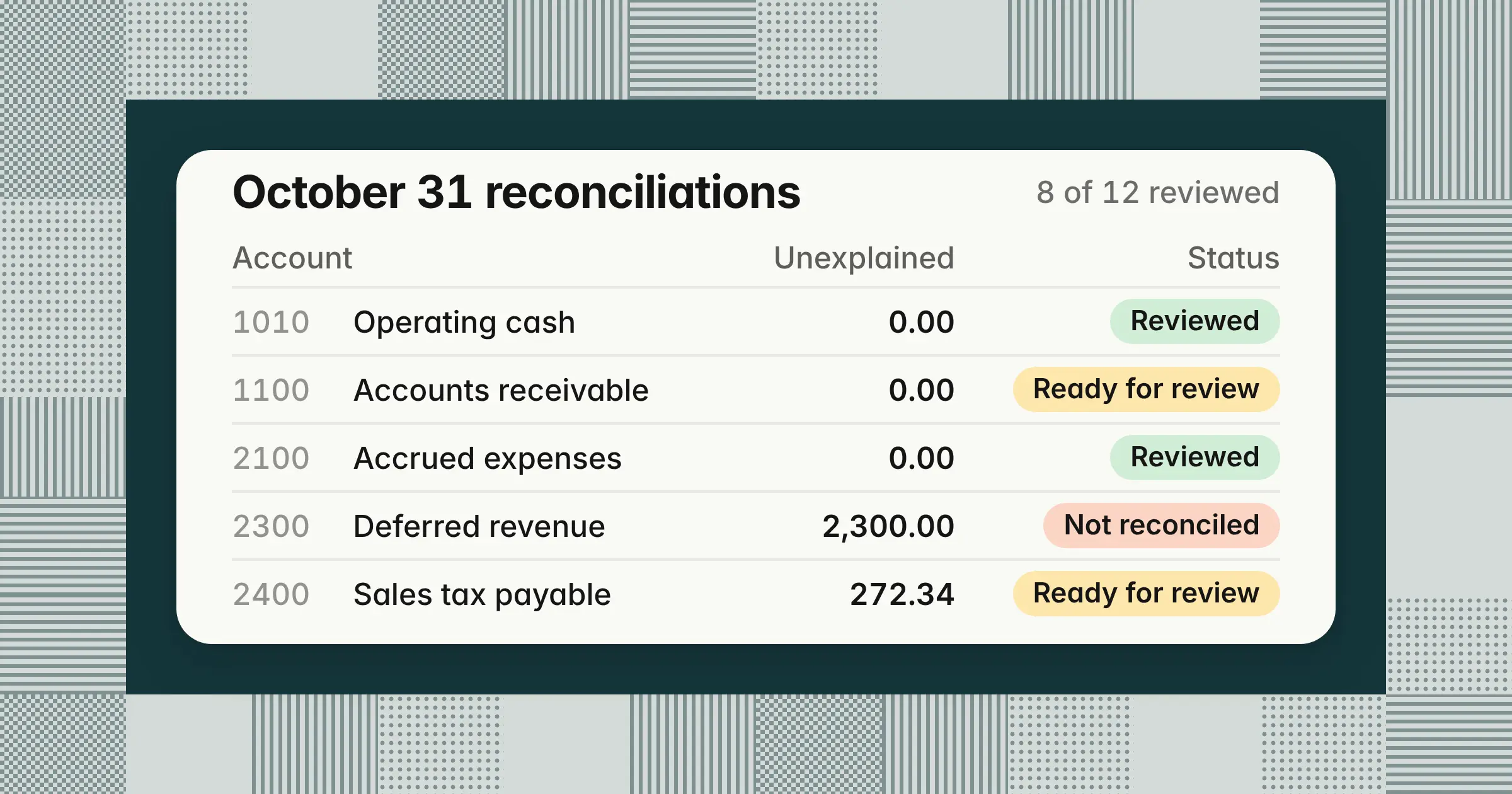
Track up to 150 balance sheet accounts on the Summary tab: one row per account with its GL balance, supporting balance, unexplained difference, open items, oldest item, preparer, reviewer, due date, and a calculated status. Here are Alder Ridge's 12 accounts for October 2026, as of November 6:
| Account | GL balance | Supporting balance | Unexplained difference |
|---|---|---|---|
| 1010 Operating cash | 3,482,615.40 | 3,516,240.15 Bank statement (bank reconciliation) | 0.00 |
| 1100 Accounts receivable | 2,914,380.00 | 2,902,630.00 AR aging | 0.00 |
| 1300 Prepaid expenses | 486,900.00 | 486,900.00 Prepaid schedule | 0.00 |
| 1500 Property and equipment, cost | 1,264,300.00 | 1,264,300.00 Fixed asset register | 0.00 |
| 1550 Accumulated depreciation | 512,840.00 | 512,840.00 Fixed asset register | 0.00 |
| 1700 Intercompany receivable, UK | 318,400.00 | 309,950.00 UK entity ledger | 0.00 |
| 2000 Accounts payable | 1,046,215.30 | 1,046,215.30 AP aging | 0.00 |
| 2100 Accrued expenses | 611,400.00 | 604,220.00 Accrual schedule (Support tab) | 0.00 |
| 2150 Accrued payroll and benefits | 402,118.62 | 402,118.62 Payroll register | 0.00 |
| 2300 Deferred revenue | 4,870,500.00 | 4,868,200.00 Billing system deferred revenue report | 2,300.00 |
| 2400 Sales tax payable | 38,912.44 | 38,640.10 Sales tax return workpapers | 272.34 |
| 2500 Corporate card payable | 64,207.18 | 58,912.06 Card statement (closes Oct 25) | 0.00 |
| Account | Due | Status | Timeliness |
|---|---|---|---|
| 1010 Operating cash | 11/03/2026 | Reviewed | On time |
| 1100 Accounts receivable | 11/04/2026 | Ready for review | Overdue |
| 1300 Prepaid expenses | 11/05/2026 | Reviewed | On time |
| 1500 Property and equipment, cost | 11/06/2026 | Reviewed | On time |
| 1550 Accumulated depreciation | 11/06/2026 | Reviewed | On time |
| 1700 Intercompany receivable, UK | 11/05/2026 | Ready for review | Overdue |
| 2000 Accounts payable | 11/04/2026 | Reviewed | Reviewed late |
| 2100 Accrued expenses | 11/05/2026 | Reviewed | On time |
| 2150 Accrued payroll and benefits | 11/04/2026 | Reviewed | On time |
| 2300 Deferred revenue | 11/05/2026 | Not reconciled | Overdue |
| 2400 Sales tax payable | 11/06/2026 | Ready for review | Open |
| 2500 Corporate card payable | 11/04/2026 | Reviewed | On time |
The KPI block at the top of the Summary reads 12 accounts, 8 reviewed (66.7%), 3 overdue, 1 not reconciled, 9 open items, 1 item over the escalation age, 4 entries needed, and Ready to close? No. Deferred revenue is $2,300.00 off with no items logged, and accounts receivable, intercompany, and sales tax still wait for a reviewer. Accounts payable was reviewed a day after its due date, so it reads Reviewed late.
Used each month, the Summary tab doubles as a balance sheet reconciliation checklist in Excel: every account, its preparer and reviewer, its due date, and whether it's done.
Status is never typed. The workbook checks the reasons in a fixed order and shows the first one that applies:
| Status | When it shows | In the example |
|---|---|---|
| Not started | The GL balance or supporting balance is missing | 0 |
| Check item types | An item on the account has a type that isn't on the list | 0 |
| Not reconciled | The unexplained difference is above the account's threshold | 1 |
| In progress | Within threshold, but the preparer's name or date is missing | 0 |
| Ready for review | Prepared, not yet reviewed | 3 |
| Reviewer must differ | The same name is in Preparer and Reviewer | 0 |
| Check dates | The review date is before the preparation date | 0 |
| Reviewed | Within threshold, prepared and reviewed by two different people in date order | 8 |
Set a default threshold in Summary C5, $1,000.00 in the example, and override it per account in the Threshold column. Alder Ridge uses 0 for cash and intercompany, so those must agree exactly. Sales tax payable is $272.34 off, inside the $1,000.00 default, so its result reads Within threshold. Thresholds come from your company's reconciliation policy: they set when a difference must be investigated before sign-off, not when it stops mattering. The guide to balance sheet reconciliation covers how to set thresholds by account and how often to reconcile each one.
Due dates count business days after period end and skip weekends and the holidays on the Lists tab. October 31, 2026, is a Saturday, so business day 1 is Monday, November 2. Business day 8 is Thursday, November 12, because the workbook skips Veterans Day on November 11. To schedule the reconciliations alongside the rest of your close tasks, use the free month-end close calendar template.
What is the account reconciliation format in Excel?
The account reconciliation format in Excel is one row per account and one row per reconciling item, with unexplained difference = (GL balance + GL-side items) − (supporting balance + support-side items), rounded to two decimals. Each side's items total with SUMIFS, counting only items open at period end. These are the core formulas in the download, shown for row 8 of the Summary tab and row 6 of the Items tab:
| Line | Formula |
|---|---|
| GL balance (Summary G8) | =IF(OR(A8="",COUNTIF(TB_Account,A8)=0),"",SUMIFS(TB_Net,TB_Account,A8)*IF(D8="Credit",-1,1)) |
| Supporting balance (J8) | =IF(A8="","",IF(H8<>"",H8,I8)) |
| GL-side items (L8) | =IF(A8="","",SUMIFS(Itm_Amount,Itm_Account,A8,Itm_Side,"GL",Itm_Open,"Open")) |
| Support-side items (M8) | =IF(A8="","",SUMIFS(Itm_Amount,Itm_Account,A8,Itm_Side,"Support",Itm_Open,"Open")) |
| Unexplained difference (N8) | =IF(K8="","",ROUND((G8+L8)-(J8+M8),2)) |
| Result (P8) | =IF(A8="","",IF(N8="","Enter balances",IF(COUNTIFS(Itm_Account,A8,Itm_Side,"Check type")>0,"Check item types",IF(N8=0,"Reconciled",IF(ABS(N8)<=IF(O8="",DefaultThreshold,O8),"Within threshold","Not reconciled"))))) |
| Open at period end (Items O6) | =IF(B6="","",IF(OR(N6="",N6>PeriodEnd),"Open","Cleared")) |
| Age in days (Items P6) | =IF(AND(O6="Open",D6<>""),PeriodEnd-D6,"") |
| Due date (Summary Y8) | =IF(OR(A8="",X8=""),"",WORKDAY(PeriodEnd,X8,Holidays)) |
TB_Account, TB_Net, Itm_Amount, PeriodEnd, DefaultThreshold, and Holidays are named ranges, so the formulas read the same on every row. A few choices keep the format honest:
- Blank checksExcel treats an empty cell as zero, so without the OR tests a blank row would read Reconciled.
- ROUNDIt removes tiny floating-point remainders that would otherwise show as a difference of 0.00 that isn't zero.
- A type dropdownEvery item's type comes from the Lists tab, and a typed value that isn't on the list turns the result to Check item types.
- One item per rowTotals update when you add a row, and you never retype a sum or a balance.
The workbook uses only IF, IFERROR, AND, OR, N, ROUND, ABS, SUM, SUMIFS, COUNTIF, COUNTIFS, SUMPRODUCT, MAX, INDEX, MATCH, ROW, TEXT, and WORKDAY. It avoids XLOOKUP, FILTER, IFS, MAXIFS, Excel Tables, and array formulas, so it runs in Excel 2010 and later and in Google Sheets.
How do you age reconciling items?
Age each reconciling item from the date it first arose to the period-end date, not to today, so a signed reconciliation never re-ages, then group open items into 0–30, 31–60, 61–90, and over-90-day buckets. The Items tab does this for every row:
| Rule | Template default | Where to change it |
|---|---|---|
| Age | Period end − date opened, in calendar days | Fixed; enter the original date opened |
| Aging buckets | 0–30, 31–60, 61–90, and over 90 days | Fixed in the Aging bucket formula |
| Escalate | Open items older than 60 days | Summary F2 |
| Resolution plan | Open items older than 90 days and above $10,000.00 | Summary F3 and F4 |
| Cleared items | Drop out when the cleared date is on or before period end | Enter the cleared date on Items |
The four buckets and the resolution plan follow Vanderbilt University's Balance Sheet Account Reconciliations policy, effective January 2018. It groups reconciling items into 0–30, 31–60, 61–90, and over-90-day buckets, and it requires a documented resolution plan for items over $10,000 aged more than 90 days. All three limits are template defaults you can change in Summary F2:F4, and the 60-day escalation isn't from the policy.
In the example, AE-01 opened on August 14, when the legal invoice posted to AP and the July accrual stayed in place, so on October 31 it's 78 days old and shows Escalate. It's under $10,000.00, so it needs no resolution plan. The two cash items cleared on November 2 and 3, after period end, so they're still open at October 31, aged 1 and 2 days.
Keep the original date opened when an item carries into a new month. On November 30, 2026, AE-01 will be 108 days old: past 90 days but under $10,000.00, so it still shows Escalate rather than Resolution plan. Aging from the date you found the item would understate how long the balance has been wrong.
Which accounts can you reconcile with the template?
You can reconcile any balance sheet account with it, including cash, receivables, prepaids, fixed assets, intercompany, payables, accruals, payroll, deferred revenue, tax, and debt, because only the support source and threshold change.
| Account type | Supporting source | Where the support goes | Suggested threshold |
|---|---|---|---|
| Cash | The month's bank reconciliation | Support per report | 0 |
| Receivables and payables | AR or AP aging | Support per report | Default |
| Prepaids | Prepaid amortization schedule | Support tab | Default |
| Accruals and payroll liabilities | Accrual schedule or payroll register | Support tab or Support per report | Default |
| Fixed assets and accumulated depreciation | Fixed asset register | Support per report | Default |
| Intercompany | The counterparty entity's ledger | Support per report | 0 |
| Deferred revenue | Billing system deferred revenue report | Support per report | Default |
| Tax | Tax return workpapers or filings | Support per report | Default |
| Debt | Lender statement or loan schedule | Support per report | Default |
| Clearing and suspense | Clearing detail, which should net to zero | Support per report | 0 |
Each cash account's support is its bank reconciliation, which the free bank reconciliation template prepares, so enter the bank statement balance here and log its deposits in transit and outstanding payments as support-side items, as the example does for 1010 Operating cash. Prepaids and accruals add a roll-forward on the Support tab, and the guide to prepaid expenses shows how to build the amortization schedule itself. For an intercompany reconciliation template across several entities, use a matrix of entity pairs, as the guide to intercompany accounting shows in Excel.
The same workbook also works as a general ledger account reconciliation template: enter any GL account, pick its support, and the formulas don't change. A GL account reconciliation proves one account, and a balance sheet reconciliation is the set of those reconciliations across every asset, liability, and equity account.
How do you tie the template to your trial balance?
Paste your trial balance export into the Trial balance tab with account number, name, debit, and credit, and the Summary pulls each account's GL balance with SUMIFS, flipping the sign for credit-balance accounts.
Net is debit minus credit, so a liability shows as a negative net. The Summary multiplies it by −1 when the account's normal balance is Credit. Alder Ridge's accrued expenses sit in the Credit column at $611,400.00, the net is ($611,400.00), and the GL balance reads $611,400.00. Enter every balance on Summary and Support the same way, as a positive natural balance.
Whether you close in NetSuite, QuickBooks Online, Xero, Sage Intacct, or Microsoft Dynamics 365 Business Central, the steps are the same. Run the trial balance for the period-end date, export it to Excel or CSV, and paste the four columns as values from row 6. Two checks at the top of the tab catch a bad paste:
- Balanced?Reads Yes when total debits equal total credits, $49,686,193.54 on each side in the example.
- Summary accounts missing from TBCounts Summary accounts that aren't in the export, 0 in the example. A missing account leaves its GL balance blank and its status at Not started.
If your export has one signed balance column, enter the signed balance in Debit and leave Credit blank. Subaccounts that share an account number add together.
How do you use the template in Google Sheets?
Open the Google Sheets link in the download box and choose Make a copy, or upload the .xlsx to Google Drive and open it with Google Sheets. The formulas, dropdowns, named ranges, and color rules carry over.
- Keep the tab namesFormulas refer to Items, Support, Trial balance, Lists, and Workpaper by name, and to named ranges, which Data > Named ranges lists.
- Paste values onlyPaste a trial balance with Edit > Paste special and paste values only, so the Net formulas in column E stay intact.
- Share for reviewGive the reviewer Commenter or Editor access, and use version history (Last edit, at the top right) to see who changed a balance and when.
- Save one copy per monthUse File > Make a copy and name it by period.
- Print or save a PDFOpen the Workpaper tab, choose File > Print or File > Download > PDF, and pick Current sheet and Landscape.
In Excel, the Workpaper tab already prints to one landscape page. Choose File > Print, or File > Save As with PDF as the file type, to get a printable workpaper for the account in C6. It also serves as a general ledger reconciliation PDF for your audit file.
What does a reviewer check before signing off?
A reviewer checks that the GL balance agrees to the trial balance, the support is dated at period end, every item has an owner, age, and reference, the difference is within threshold, and the reviewer isn't the preparer. The preparer, usually a staff or senior accountant, owns the reconciliation, and the reviewer, usually an accounting manager or controller, signs off. The template enforces six of the checks:
| Check | Where to look | What the template does |
|---|---|---|
| The GL balance matches the ledger | Trial balance tab | Shows Balanced? and the count of missing accounts |
| The schedule is complete | Workpaper Opening check and Schedule check | Compares the opening balance with last month's reconciled closing and the schedule total with the supporting balance |
| Every item is valid and listed | Workpaper open items | Flags unknown types and confirms Items agree to balances |
| The difference is within threshold | Result and Unexplained difference | Blocks Reviewed above the threshold |
| Old items are escalated | Escalation column | By default, shows Escalate on items older than 60 days, and Resolution plan on items older than 90 days and above $10,000.00 |
| Two people signed in order | Status | Shows Reviewer must differ or Check dates instead of Reviewed |
Because the status is calculated and every item carries a date, owner, and support reference, an auditor can rerun the workpaper. It shows who prepared and reviewed each account, and when. The guide to balance sheet reconciliation linked above has the full reviewer checklist.
When does a spreadsheet template stop being enough?
A spreadsheet template stops being enough when you reconcile dozens of accounts across entities, items carry for months, copies of the file drift apart, or auditors ask who changed a balance and when.
Spreadsheets also carry error risk of their own. A 2024 literature review by Poon, Lau, Yu, and Tang in Frontiers of Computer Science cites earlier studies that found about 94% of spreadsheets in use contained faults.
Reconciliation software pulls balances and transactions straight from the ledger and its sources. It matches routine items by rule, logs who changed what, and routes each reconciliation to its reviewer. When volume outgrows that, move matching and preparation into software and keep the template for exceptions and one-off accounts. The guide to the best account reconciliation software compares the options.
How we approach it
Our Close Agent prepares reconciliations as tasks on your close checklist: it reconciles the ledger to bank statements, subledgers, and other sources, shows every difference with its amount, date, source, and reference, and prepares the entry and workpaper. Every task has a named reviewer separate from the preparer, and nothing posts to your ERP until a named approver signs off. It reads from and posts approved entries to NetSuite, Oracle, SAP S/4HANA, Microsoft Dynamics 365, Business Central, and QuickBooks. To see it work on your own balance sheet accounts, explore our Close Agent.
Share this article