Key takeaways
- General ledger reconciliation proves every GL balance against a subledger, an outside statement, or a supported schedule, and an account is done only when the unexplained difference is zero and a second person signs.
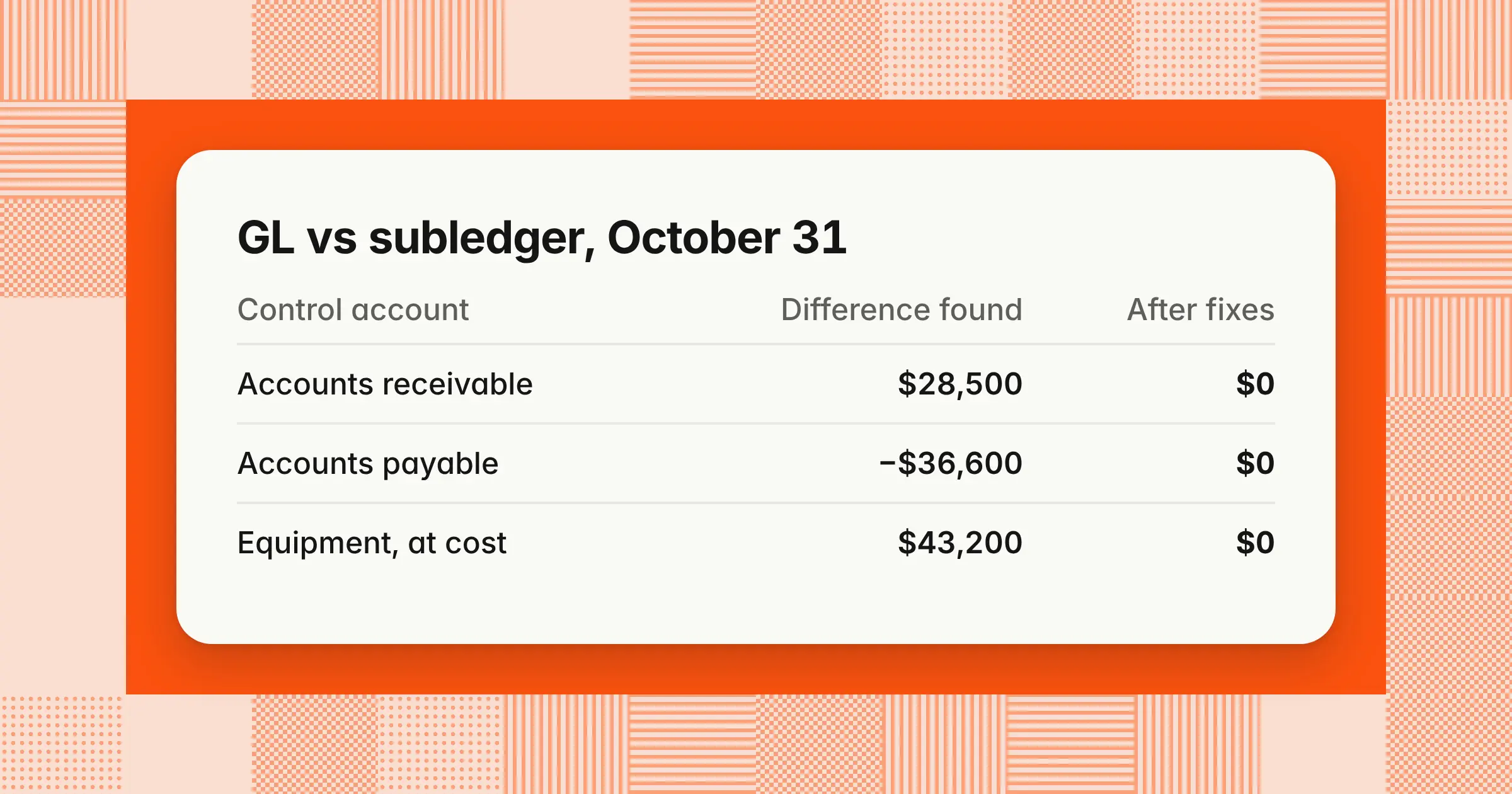
- In the worked example, 10 accounts at October 31, 2026, show seven differences, and six correcting entries totaling $95,100, one fixed asset register fix, and one documented accrual bring every unexplained difference to zero.
- Reconcile most accounts monthly, and high-volume accounts such as cash more often. APQC benchmarking data, reported by the finance publication CFO in September 2024, puts the median time for general ledger reconciliation at six hours.
General ledger reconciliation is the month-end check that proves each general ledger (GL) account balance against an independent source, such as a subledger, a bank or lender statement, or a supporting schedule. Getting it right gives you financial statements you can sign, catches posting errors before they reach your reporting, and keeps your subledgers and ledger in agreement.
What is general ledger reconciliation?
General ledger reconciliation is the check that each GL account balance agrees with an independent source, with every difference explained by a dated, documented reconciling item and nothing left unexplained. Teams also call it GL account reconciliation or reconciliation of the general ledger. It's account reconciliation applied to every account in your ledger, including income statement accounts.
- Control accountA GL account that holds the total of a subledger, such as accounts receivable (AR), accounts payable (AP), or fixed assets
- Reconciling itemA specific, documented amount that explains part of the difference between the GL and its support
- SubstantiationProving the balance itself is real and correct with evidence, such as an invoice or calculation behind each accrual line
Skipping it lets errors build up across months, so a small posting mistake becomes a misstatement and a hard cleanup later. Errors are frequent: Gartner surveyed 497 controllership staff in July 2023 and reported on February 21, 2024, that 18% of accountants make financial errors at least daily and 59% make several each month. For companies subject to internal control audits, missing or late reconciliations can be reported as a significant deficiency or a material weakness.
General ledger reconciliation example: 10 accounts at October 31
In this general ledger reconciliation example, 10 accounts at October 31, 2026, show seven differences, and every one is explained down to an unexplained difference of zero.
Example
A distribution company with about $60 million in annual revenue reconciles 10 GL accounts at October 31, 2026. All amounts are illustrative. Each difference is the GL balance minus the support. Credit-balance accounts, such as AP and accrued liabilities, are shown as positive amounts, so a negative difference on a liability means the GL shows less owed than the support.
Reconciliation summary, October 31, 2026 ($)
| Account | GL balance | Support balance | Difference |
|---|---|---|---|
| 10100 Cash | 1,842,700 | 1,876,500 Bank statement | (33,800) |
| 11000 Accounts receivable | 4,876,300 | 4,847,800 AR aging | 28,500 |
| 13000 Prepaid expenses | 186,000 | 171,000 Amortization schedule | 15,000 |
| 15000 Equipment, at cost | 6,523,200 | 6,480,000 Fixed asset register | 43,200 |
| 15900 Accumulated depreciation | 2,193,400 | 2,193,400 Fixed asset register | 0 |
| 20000 Accounts payable | 2,914,600 | 2,951,200 AP aging | (36,600) |
| 22000 Accrued liabilities | 298,600 | 312,400 Accrual schedule | (13,800) |
| 21200 Payroll liabilities | 142,380 | 142,380 Payroll provider's liability report | 0 |
| 25000 Term loan | 5,000,000 | 5,000,000 Lender statement | 0 |
| 60100 Wages expense, October | 1,291,800 | 1,284,600 Payroll register | 7,200 |
| Account | What explains it | Fix |
|---|---|---|
| 10100 Cash | Receipts in the bank but not posted (21,000), and outstanding checks (48,200) net of deposits in transit 35,400 | JE 1; timing items clear in November |
| 11000 Accounts receivable | Same unposted receipts batch 21,000, and a manual journal to the control account 7,500 | JE 1 and JE 2 |
| 13000 Prepaid expenses | October insurance amortization not posted | JE 5 |
| 15000 Equipment, at cost | Server bought in October, never added to the register | Add it to the register |
| 15900 Accumulated depreciation | Ties until the server is added, then the register is 1,200 higher | JE 4 |
| 20000 Accounts payable | Three October invoices carry a November 1 accounting date | JE 3, through the AP subledger |
| 22000 Accrued liabilities | October legal fees on the schedule but never booked | JE 6 |
| 21200 Payroll liabilities | None | None |
| 25000 Term loan | None | None |
| 60100 Wages expense, October | Bonus accrual JE-2230, a valid entry the register doesn't show | None, documented |
Cash to the bank statement
The bank shows $33,800 more than the books, and three items explain all of it.
| Line | Amount ($) |
|---|---|
| GL balance, 10100 Cash | 1,842,700 |
| Add: lockbox receipts in batch CR-1031, in the bank on October 31 but not posted to the GL | 21,000 |
| Adjusted GL balance | 1,863,700 |
| Bank statement balance, October 31 | 1,876,500 |
| Add: deposits in transit, recorded October 31 and credited by the bank November 3 | 35,400 |
| Less: outstanding checks, recorded in October and not yet cleared | (48,200) |
| Adjusted bank balance | 1,863,700 |
| Unexplained difference | 0 |
The receipts are in the bank but not the books, so they sit on the GL side and need an entry. Deposits in transit and outstanding checks are already in the books but not yet at the bank, so they adjust the bank side and need no entry. For the full method, see bank reconciliation.
Accounts receivable to the AR aging
The AR control account is $28,500 higher than the aging, and two items explain the full amount.
| Line | Amount ($) |
|---|---|
| GL balance, 11000 Accounts receivable | 4,876,300 |
| Less: receipts batch CR-1031, applied to customer invoices in the AR subledger but not posted to the GL | (21,000) |
| Less: manual journal JE-2215, a sublease receivable from a tenant debited to the AR control account | (7,500) |
| Adjusted GL balance | 4,847,800 |
| AR aging total, by accounting date | 4,847,800 |
| Unexplained difference | 0 |
- Unposted batchThe receipts lowered customer balances in the subledger, but the GL entry sat in an unposted batch, so the GL stayed higher. It's the same $21,000 as on the cash reconciliation, and one posting fixes both accounts.
- Manual journalThe tenant isn't a customer in the billing system, so the debit raised the GL with nothing behind it in the aging. It belongs in other receivables.
Prepaid expenses to the amortization schedule
The GL is $15,000 higher than the schedule, so the asset is overstated. The schedule rolls forward from $186,000 at October 1, with no new prepayments, less $15,000 of October amortization on a $180,000 annual insurance policy, to $171,000. The amortization entry never posted.
Equipment and accumulated depreciation to the fixed asset register
The equipment account is $43,200 higher than the register, and here the GL is right. A server bought on AP invoice 88305 posted to 15000 Equipment but was never set up as an asset. Adding it to the register with an October in-service date and a 36-month life brings register cost to $6,523,200.
Under a full-month convention, the register then calculates October depreciation of $1,200 ($43,200 ÷ 36). Register accumulated depreciation becomes $2,194,600, which is $1,200 more than the GL, so the GL needs the depreciation entry.
Accounts payable to the AP aging
The AP control account is $36,600 lower than the aging, so the GL understates what the company owes. Invoices 88412 ($12,400), 88419 ($15,800), and 88427 ($8,400) cover goods received October 29–31 but were entered with a November 1 accounting date.
The aging was run by invoice date, so it included them, while the GL at October 31 didn't. Rerunning the aging by accounting date would make both show $2,914,600, but the goods were received in October, so, with title passing on or before receipt, the liability belongs in October. Changing the accounting date in the AP subledger posts the entry to the GL.
Accrued liabilities, wages, payroll liabilities, and debt
These accounts have no subledger, so each ties to a schedule or a report from outside the GL.
- Accrued liabilitiesThe GL shows $13,800 less owed than the schedule. The schedule includes October legal fees from the law firm's month-end estimate, but the accrual was never booked, so the liability is understated.
- Wages expenseThe GL is $7,200 higher than the register because of JE-2230, the October accrual for a bonus paid in December. The register shows only wages paid, so the item is valid, stays documented, and needs no entry.
- Payroll liabilitiesThe provider's report shows $96,180 of federal withholding and FICA, $18,400 of state withholding, and $27,800 of 401(k) deferrals, a total of $142,380 that matches the GL.
- Term loanThe lender's October statement shows $5,000,000 of principal, which matches the GL.
What correcting entries does a GL reconciliation need?
A GL reconciliation needs a correcting entry only when the ledger is wrong, such as an unposted batch, a misposted manual journal, a missed accrual, or a cutoff error. Timing items that clear on their own need none, and subledger errors get fixed in the subledger.
The example needs six entries, all dated October 31, 2026:
| Account | Debit ($) | Credit ($) |
|---|---|---|
| JE 1. Post receipts batch CR-1031 | ||
| 10100 Cash | 21,000 | |
| 11000 Accounts receivable | 21,000 | |
| JE 2. Reverse JE-2215 and repost it to other receivables | ||
| 12500 Other receivables | 7,500 | |
| 11000 Accounts receivable | 7,500 | |
| JE 3. Change the accounting date on three invoices to October 31, posted by the AP subledger | ||
| 14000 Inventory | 36,600 | |
| 20000 Accounts payable | 36,600 | |
| JE 4. October depreciation on the server, posted by the fixed asset module | ||
| 63000 Depreciation expense | 1,200 | |
| 15900 Accumulated depreciation | 1,200 | |
| JE 5. October insurance amortization | ||
| 64000 Insurance expense | 15,000 | |
| 13000 Prepaid expenses | 15,000 | |
| JE 6. October legal fees accrual, reverses November 1 | ||
| 65000 Legal fees | 13,800 | |
| 22000 Accrued liabilities | 13,800 | |
| Total | 95,100 | 95,100 |
JE 4, JE 5, and JE 6 lower October pre-tax income by $30,000 ($1,200 + $15,000 + $13,800). The other three move amounts between balance sheet accounts. JE 3 also moves the three invoices out of November, so November's AP activity should fall by the same $36,600.
Balances after the entries ($)
| Account | Adjusted GL balance | Adjusted support | Unexplained difference |
|---|---|---|---|
| 10100 Cash | 1,863,700 | 1,863,700 Adjusted bank balance | 0 |
| 11000 Accounts receivable | 4,847,800 | 4,847,800 | 0 |
| 13000 Prepaid expenses | 171,000 | 171,000 | 0 |
| 15000 Equipment, at cost | 6,523,200 | 6,523,200 Register after the fix | 0 |
| 15900 Accumulated depreciation | 2,194,600 | 2,194,600 | 0 |
| 20000 Accounts payable | 2,951,200 | 2,951,200 | 0 |
| 22000 Accrued liabilities | 312,400 | 312,400 | 0 |
| 21200 Payroll liabilities | 142,380 | 142,380 | 0 |
| 25000 Term loan | 5,000,000 | 5,000,000 | 0 |
| 60100 Wages expense, October | 1,291,800 | 1,291,800 Register 1,284,600 plus documented accrual 7,200 | 0 |
For how accruals, reclasses, and corrections are built and approved, see month-end journal entries.
Which side do you fix: the GL or the subledger?
Fix the record that's wrong, at its source: correct the GL when a posting is missing or misposted there, and correct the subledger when the subledger is incomplete. Fixing the wrong side makes the numbers agree this month and break again next month.
- Fix the GLWhen the subledger is right and the posting never reached the ledger, as with the receipts batch, or when a manual journal hit a control account, as with JE-2215
- Fix the subledgerWhen it's missing the transaction, as with the server. A journal to the GL equipment account would have left the register short and the asset undepreciated.
- Fix the transactionWhen both sides hold it with the wrong date or account, as with the AP invoices. Correct it in the subledger so the subledger posts the change.
- Never plugA balancing entry that forces the difference to zero hides the error and fails review.
Then stop the repeat. Restricting the AR and AP control accounts to subledger postings would have blocked JE-2215 before it posted.
How do you reconcile the general ledger?
To reconcile the general ledger, close the subledgers, pull each account's balance and its support as of the same date and basis, explain every difference, post corrections, and send the signed workpaper for review. The same eight steps work for every account and serve as your per-account checklist.
- Close the subledgersPost every batch and stop new transactions for the period. Oracle's Cloud ERP guide (Release 26A, December 2025) says to run its reconciliation reports "only after the Receivables and Payables periods are closed to additional subledger transactions."
- Pull the GL balanceTake it from the trial balance as of period end. At year-end, tie the new year's opening balances to the post-closing trial balance.
- Run the support on the same basisUse the same date, entity, currency, and date basis. The AP difference in the example came from an aging run by invoice date instead of accounting date.
- Check the opening balanceIt should equal last period's reconciled ending balance. AccountingTools (March 2026) notes that a break here can trace back several periods if the account went unreconciled.
- Compute the difference and find the causeFor a control account, filter the GL detail by source. Any line that didn't come from the subledger is the first place to look.
- Classify each itemWashington State's Office of Financial Management, in its basic GL reconciliation guide, sorts differences into timing differences, errors, and other items, such as bank fees or rounding, that need further investigation
- Post correctionsRecord correcting entries in the period they belong to, and fix the subledger where the subledger is wrong
- Document and signAttach the support, show an unexplained difference of zero, and send the reconciliation to a reviewer who didn't prepare it
Shorter guides list five steps: gather, compare, investigate, correct, and review. They cover the same work, with the first four steps above merged. In QuickBooks Online, use the Reconcile tool for bank and credit card statements (Intuit's help, updated August 2026). Reconcile every other account by running its general ledger report as of period end and tying it to support in a workpaper.
What causes differences between the general ledger and subledgers?
Differences between the general ledger and a subledger come from postings that reached only one side, such as an unposted batch, a manual journal to a control account, a cutoff mismatch, or a report run too early. Oracle's Cloud ERP guide (December 2025) lists "Manually entered journals that posted to the general ledger account" and "Transactions that don't have complete accounting" among the exceptions its reconciliation reports flag.
| Cause | What you see | Where to look | Fix |
|---|---|---|---|
| Unposted subledger batch | Subledger moved, GL didn't | Unposted journals or batch status report | Post the batch in the right period |
| Manual journal to a control account | GL moved, subledger didn't | GL detail filtered by source | Reverse or reclassify, then restrict the account |
| Cutoff or date basis | Same transactions in different periods | Aging by accounting date versus invoice date | Correct the accounting date, or accrue |
| Subledger transaction with no accounting | Invoice or receipt exists, no journal | Unaccounted transactions or exceptions report | Create and post the accounting |
| Report run too early | Late postings missing from the support | Report run time versus last posting time | Rerun after the subledger period closes |
| Revaluation in the GL only | Difference only in foreign-currency balances | Compare balances by currency | Run revaluation in both, or list it as a reconciling item |
| Duplicate entry | GL off by exactly one entry's amount | Search the GL detail for the amount | Reverse the duplicate |
| Transposed digits | Difference divisible by 9 | Compare digits on the largest entries | Correct the entry |
| Intercompany mismatch | Due to and due from don't offset across entities | Compare both entities' balances | Resolve it in the intercompany reconciliation |
Whether the GL is higher or lower tells you where to start. If GL AR is higher than the aging, look for credits that reached only the subledger, such as receipts and credit memos, or debits that reached only the GL, such as manual journals. If your NetSuite AR account doesn't match the A/R Aging report, run both for the same date, subsidiary, and currency before you hunt for errors.
When a difference has carried forward for months, find the last month the account reconciled to zero and compare the difference month by month. A difference that stays the same points to one old item. A difference that grows each month points to a process that keeps breaking, such as an interface that skips one transaction type.
What is GL to subledger reconciliation?
GL to subledger reconciliation compares a control account in the general ledger, such as AR, AP, or fixed assets, with the total of the subledger behind it on the same date. The two should agree, so every difference traces to something specific, usually a posting that reached only one side or a report run on a different date or basis.
| Control account | Subledger total to tie to | Report names in common ERPs |
|---|---|---|
| Accounts receivable | AR aging by customer | NetSuite A/R Aging; Oracle Cloud ERP Receivables to Ledger Reconciliation |
| Accounts payable | AP aging by vendor | NetSuite A/P Aging; Oracle Payables to Ledger Reconciliation and Payables Trial Balance |
| Fixed assets | Asset register cost and accumulated depreciation | Your fixed asset module's cost and depreciation reports |
| Inventory | Perpetual inventory valuation, tied to counts | Your inventory valuation report |
Report names come from NetSuite's online help and Oracle's Cloud ERP Release 26A guide (December 2025), checked November 11, 2026. For the GL side, run the account's general ledger detail, or Oracle's Account Analysis Report, so you can filter postings by source. The AR, AP, and equipment accounts in the October example are general ledger to subledger reconciliation examples.
How do you reconcile GL accounts with no subledger?
For an account with no subledger, reconcile the balance to an outside statement or to a schedule that rolls forward from last month's reconciled balance and ties each line to an invoice, contract, or calculation. These accounts need the most care, because no system total exists to compare against.
| Account | Support that counts | Not enough on its own |
|---|---|---|
| Prepaid expenses | Amortization schedule tied to invoices and contract terms | A schedule that repeats the GL balance |
| Accrued liabilities | Accrual schedule with a calculation per line, checked against invoices received after period end | Last month's accrual rolled forward unchanged |
| Payroll liabilities | Payroll provider's liability report and tax deposit confirmations | The payroll journal entry |
| Debt | Lender statement and a debt schedule with interest | The loan agreement alone |
| Deferred revenue | Schedule by contract, tied to billings and recognition | Billing totals |
| Equity | Cap table, board approvals, and the prior audited balance | Last year's balance |
| Clearing and suspense | A zero balance, or a list of each open item with an owner | A balance with no item list |
| Income taxes payable | Tax provision and filed returns or payment confirmations | The prior quarter's estimate |
Accrued liabilities take the most judgment. Confirm last month's accruals reversed, and keep the basis for each estimate, such as the law firm's estimate in the example. For schedule mechanics, see prepaid expenses and accrued expenses.
How to reconcile payroll to the general ledger
To reconcile payroll to the general ledger, tie the payroll register's gross wages and employer taxes to the GL expense accounts, net pay to the cash paid, and withholdings and deductions to the liability accounts. The liability accounts should clear when you make the deposits.
Each quarter, tie wages, federal income tax withheld, and Social Security and Medicare taxes to Form 941, the IRS's quarterly federal tax return for employers. State withholding and unemployment taxes tie to their own returns.
What is a reconciliation account in the general ledger?
A reconciliation account is a general ledger account linked to a subledger, such as customers, vendors, or assets, that updates only from subledger postings, while an ordinary GL account also accepts manual journals. SAP uses the term for its customer, vendor, and asset control accounts.
SAP's ERP 6.0 documentation states, "You cannot post to reconciliation accounts manually." When you post to a subledger account, "the system automatically posts to the corresponding reconciliation account." In SAP, you reconcile by comparing each reconciliation account's balance to the total of its subledger for the same period.
Other ERPs reach the same control with a setting. Oracle's Cloud ERP guide (December 2025) recommends "designating a control account and not allowing other sources to post to them."
| Aspect | Ordinary GL account | Reconciliation or control account |
|---|---|---|
| Posted by | Journals from any source | The linked subledger only |
| Manual journals | Allowed | Blocked or restricted |
| Reconciled to | A statement, schedule, or source report | The subledger total |
What should a GL reconciliation workpaper include?
A GL reconciliation workpaper shows the account, period end, GL balance, support balance and its source, and each reconciling item with date, amount, cause, and owner, ending in an unexplained difference of zero. It names the preparer and reviewer with dates and attaches the evidence. A GL detail export on its own isn't a reconciliation, because it only repeats what the ledger already says.
Header: Entity, account number and name, period end, support source with the date the report was run, risk tier, preparer and date, and reviewer and date.
Balance block, filled in with the AR account from the example, for a simple Excel general ledger reconciliation template:
| Cell | Line | Example ($) | Formula |
|---|---|---|---|
| C6 | GL balance | 4,876,300 | Linked to the trial balance |
| C7 | Support balance | 4,847,800 | AR aging total, attached |
| C8 | Difference | 28,500 | =C6-C7 |
| C9 | GL-side reconciling items | (28,500) | =SUMIFS(F13:F40,G13:G40,"GL") |
| C10 | Support-side reconciling items | 0 | =SUMIFS(F13:F40,G13:G40,"Support") |
| C11 | Unexplained difference | 0 | =(C6+C9)-(C7+C10) |
Reconciling items, from row 13: date the item arose, description, reference, type (timing, error, or missing entry), amount, side (GL or support), fix or entry number, owner, clear-by date, and age. Calculate age with =$C$4-B13, where C4 holds the period end. Some teams call the finished workpaper a reconciliation statement or reconciliation report, and the contents are the same.
For a ready-made workbook in this layout, for up to 150 accounts, download the free account reconciliation template.
How do you check that a GL reconciliation is right?
A GL reconciliation is right when each reconciling item sits on the side of the record that's missing it, the adjusted balances match, and the unexplained difference is zero. An item on the wrong side is an easy way to produce a reconciliation that looks finished but doesn't tie.
| Item | Recorded in | Adjust this side | Direction |
|---|---|---|---|
| Deposit in transit | Books, not yet the bank | Bank | Add to the bank balance |
| Outstanding check | Books, not yet the bank | Bank | Subtract from the bank balance |
| Bank fee not booked | Bank, not the books | GL | Subtract from the GL, with an entry |
| Receipt applied in AR, not posted to the GL | Subledger, not the GL | GL | GL AR is higher than the aging; post the batch |
| Customer payment booked by journal to the GL, not entered in the AR subledger | GL, not the subledger | Subledger | The aging is higher than GL AR; enter the receipt in the subledger and reverse the journal |
| Manual journal to a control account | GL, not the subledger | GL | Reverse or reclassify |
| Asset bought but not added to the register | GL, not the subledger | Subledger | Add the asset to the register |
| Accrual on the schedule but not booked | Schedule, not the GL | GL | Book the accrual |
Then run five checks before you send it for review:
- FootEach column adds to its total
- Cross-footThe GL plus GL-side items equals the adjusted GL, the support plus support-side items equals the adjusted support, and the two match
- Explain the gap in fullIn the example, the cash items net to $33,800 ($21,000 + $48,200 − $35,400), exactly the gap between bank and book
- Balance the entriesTotal debits equal total credits, and each entry changes the account in the direction its item requires
- Watch next monthTiming items should clear on the next statement or subledger run, and any that don't become errors to investigate
How often should you reconcile GL accounts, and how long does it take?
Reconcile most general ledger accounts monthly as part of the close, and reconcile cash and other high-volume or high-risk accounts more often. AccountingTools (March 2026) says high-risk or high-volume accounts, such as cash or payroll liabilities, may need weekly or daily reconciliation, and low-activity accounts can be reconciled quarterly with adequate monitoring.
APQC benchmarking data, reported by the finance publication CFO on September 4, 2024, puts the median time for general ledger reconciliation at six hours. Organizations at the 25th percentile take five hours, and those at the 75th percentile take 10. The same article notes that liability and revenue accounts often need tracing back to source documents, which adds time.
| Risk tier | Example accounts | Frequency | Support | Prepared by | Reviewed by |
|---|---|---|---|---|---|
| High | Cash, AR, AP, inventory, accrued liabilities, and intercompany | Monthly, with cash daily or weekly at high volume | Bank statements, agings, valuation report, accrual schedule, and counterparty ledger | Staff or senior accountant | Accounting manager, plus the controller |
| Medium | Prepaids, fixed assets, payroll liabilities, deferred revenue, and debt | Monthly | Schedules, asset register, and provider and lender reports | Staff accountant | Accounting manager |
| Low | Deposits, equity, and inactive accounts | Quarterly, and in any month with activity | Contracts, cap table, and confirmations | Staff accountant | Accounting manager |
| Income statement | Wages, revenue, and large expense accounts | Monthly | Source reports such as the payroll register, or review against budget and last month | Staff accountant | Accounting manager |
Example
An aging policy for open reconciling items, counted from the date each item arose, as in the workpaper's age column:
| Age | Rule |
|---|---|
| 0–30 days | Explain the item and name an owner and a clear-by date |
| 31–60 days | Reviewer follows up with the owner at sign-off |
| 61–90 days | Escalate to the controller |
| Over 90 days | Written resolution plan, or a write-off with controller approval |
At a SaaS company on NetSuite or a similar ERP, deferred revenue, payment processor clearing accounts, and accruals often take the longest, because each ties back to contracts or source files. Track three numbers each close: the share of reconciliations signed by their due date, open items older than 60 days, and reconciliations reopened after sign-off.
Who prepares and reviews a GL reconciliation?
A staff or senior accountant prepares each GL reconciliation, and someone who didn't prepare it, usually an accounting manager or the controller, reviews and signs it. Keeping those roles apart turns the reconciliation into a control your auditors can test.
- PreparerPulls the balance and support, lists reconciling items, drafts entries, and signs and dates the workpaper
- ReviewerChecks the support and each item, approves the entries, and signs and dates the workpaper
- ControllerReviews high-risk accounts and approves write-offs and policy exceptions
- Close leadTracks completion against due dates and chases late reconciliations
Before signing, or before an audit, the reviewer confirms:
- The GL balance matches the final trial balance for the right entity and period
- The support is independent of the GL, dated at period end, run on the same basis, and attached
- The opening balance equals last period's reconciled closing balance
- Each reconciling item is specific, documented, on the correct side, and within the aging policy
- Every needed entry is posted and referenced by number, and none is only listed
- The unexplained difference is zero
- The preparer signed and dated it, and the reviewer isn't the preparer
Write the rules down in a reconciliation policy: risk tiers, frequency, due dates by business day, dollar thresholds that trigger extra review (not a size below which a difference can stay unexplained), aging rules, who approves write-offs, and what support each account needs. Back it with system controls: restrict control accounts to subledger postings, lock the accounting period after sign-off, and reopen any reconciliation whose balance changes later. For public companies, these reconciliations are often key controls within the internal control over financial reporting that SOX Section 404 requires management to assess.
General ledger reconciliation vs balance sheet reconciliation
Balance sheet reconciliation is a subset of general ledger reconciliation: GL reconciliation covers every account in the ledger, including income statement accounts, while balance sheet reconciliation substantiates only asset, liability, and equity balances at period end.
| Aspect | General ledger reconciliation | Balance sheet reconciliation |
|---|---|---|
| Scope | Every GL account | Asset, liability, and equity accounts |
| Income statement accounts | Included, tied to source reports or reviewed | Not included |
| Main question | Does each account agree with the record behind it? | Is each period-end balance supported? |
| Example | Wages expense to the payroll register | Prepaid expenses to the amortization schedule |
Income statement accounts need reconciling when they tie to a source report, as wages tie to the payroll register in the example. Review the rest against budget and last month instead of tying each balance. For the balance sheet side in depth, see balance sheet reconciliation.
What software automates general ledger reconciliation?
Start with your ERP's own reports, such as NetSuite's A/R Aging and GL detail or Oracle's Payables and Receivables to Ledger Reconciliation reports, and add reconciliation software when spreadsheets can't keep up. That point usually comes when you need matching, carried-forward items, and sign-off across hundreds of accounts.
When you compare general ledger reconciliation software, check for:
- A direct ERP connectionIt reads GL and subledger balances from your ERP, such as NetSuite or Business Central, without manual exports and posts approved entries back
- Matching rulesHigh-volume accounts, such as cash and clearing accounts, get matched automatically, leaving only exceptions
- Open items carried forwardReconciling items roll to the next period with their age, owner, and evidence
- Workpaper and sign-off in one placePreparer and reviewer sign-off with dates, and support attached to each account
- Cloud access and permissionsRemote reviewers and auditors see the same evidence, with role-based rights
If you run QuickBooks or Xero, bank feeds handle much of cash, but accruals, prepaids, and payroll liabilities still need workpapers. For a comparison of tools, see best account reconciliation software.
Can AI do GL reconciliation?
Yes, AI can prepare most of a general ledger reconciliation: pulling balances, matching transactions, explaining differences, and drafting balanced correcting entries with their support. A person still approves each entry, judges estimates, and signs off, so the AI acts as preparer and never as approver.
The benefit is that your team's time shifts from tick-and-tie to review. Before you trust an AI tool with the ledger, confirm four controls:
- Named approvalA named person approves the exact lines of each entry before it posts
- Rule-based checksDebits equal credits, account codes are valid, and the period is open, checked by rules rather than the model
- EvidenceEvery match and entry is logged with its source documents
- Period lockThe period can't lock until every reconciliation is signed off
Can you outsource general ledger reconciliation?
Yes, you can outsource general ledger reconciliation to a CPA firm, an outsourced accounting firm, or a fractional controller who prepares the reconciliations each month. Keep the final review and sign-off with someone on your own team.
Agree on four things up front:
- DeadlineThe business day each reconciliation is due
- FormatYour workpaper, so reconciliations match from month to month
- EntriesWho drafts and who posts correcting entries
- AccessRead-only access to the GL and subledgers, with posting rights only where needed
How we approach it
Our Close Agent prepares each GL reconciliation on your close checklist, ties every account to its source, and shows each difference with its amount, date, source, and reference. It prepares the balanced correcting entry and workpaper, a named approver approves the exact lines before anything posts, and the month can't lock until every task is signed off. To have that prep done before your team starts the close, explore our Close Agent.
Share this article